Side by side with Word, page by page
A set of documents with hard layout problems: on the left the PDF Microsoft Word exports itself, on the right OfficePDF's output — the same engine that ships in the on-prem SDK. Numbered markers point out what to look for.
14 documents
Scholarship application form
A real form, anonymised. The vertically merged “申请理由” cell breaks at the page foot line by line, as Word does, instead of moving whole.
Real document, anonymised · Word 3 pages · OfficePDF 3 pages
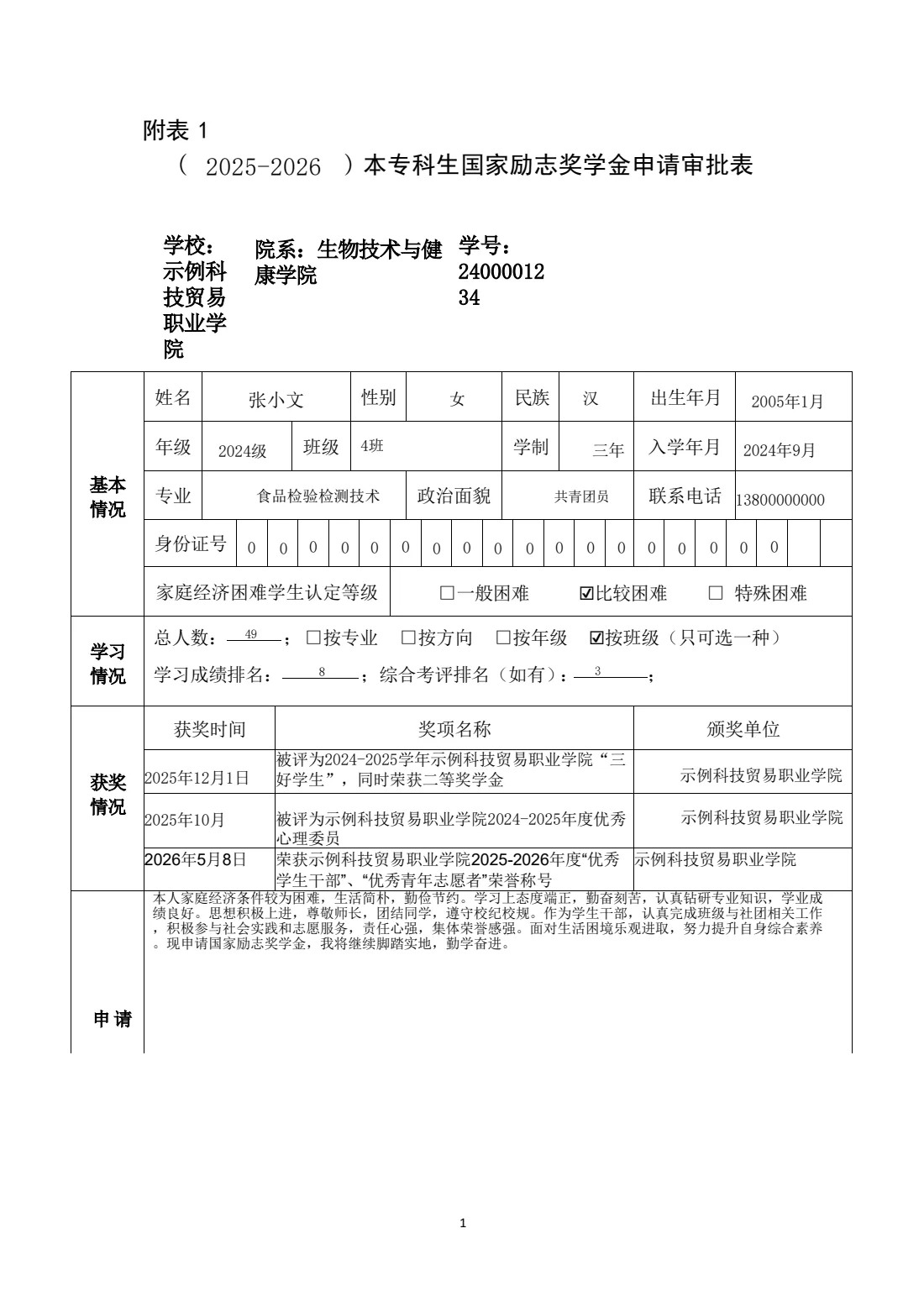
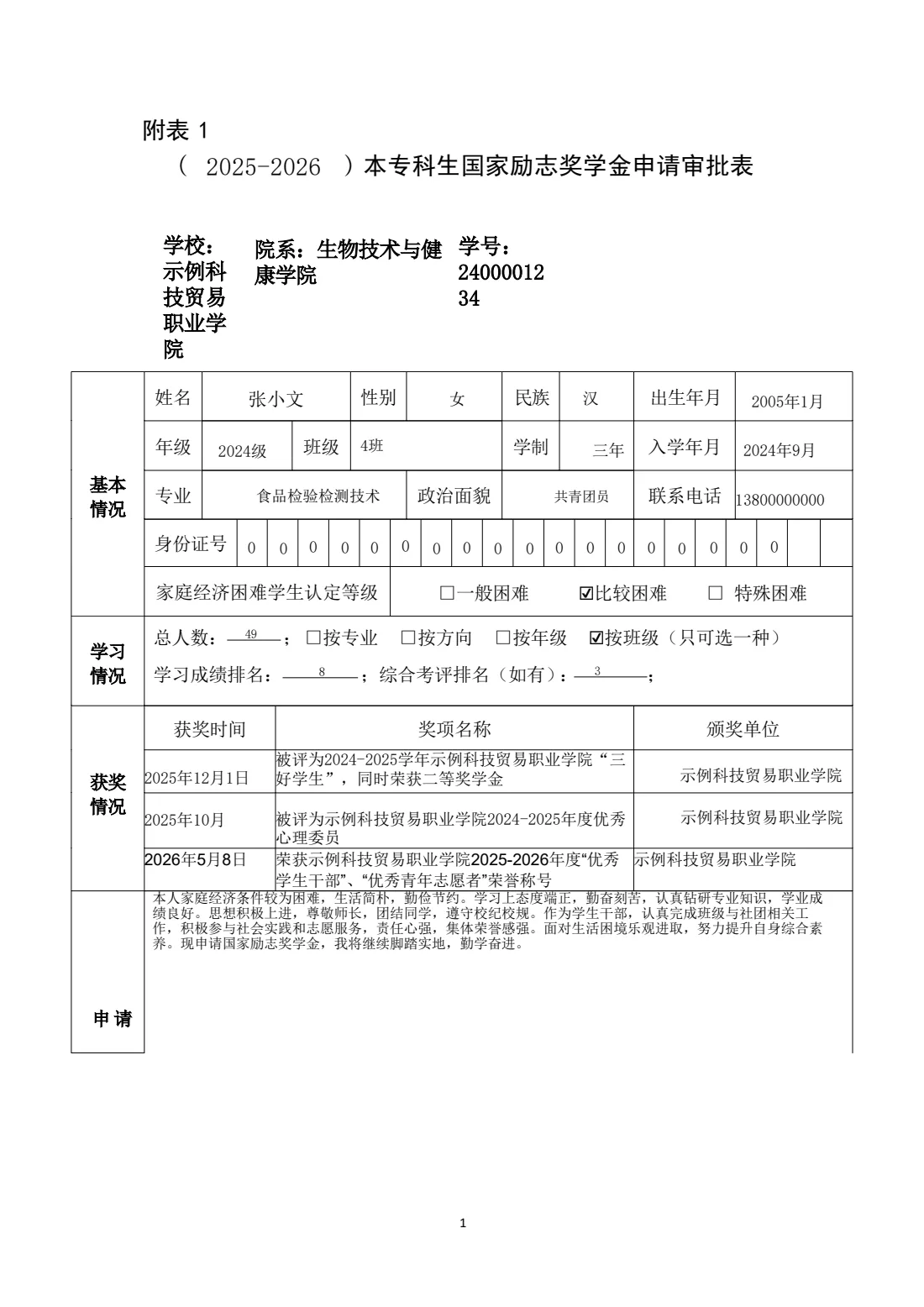
- 1The merged label breaks at the page foot: only “申请” stays on page 1


- 2The rest of the label continues on page 2, broken at the same line as Word
Lab report template with a binding gutter
A university lab report template: binding gutter in the margin, running header, and many legacy Equation 3.0 objects (WMF). The emblem is blanked in the download.
Real document, anonymised · Word 5 pages · OfficePDF 5 pages
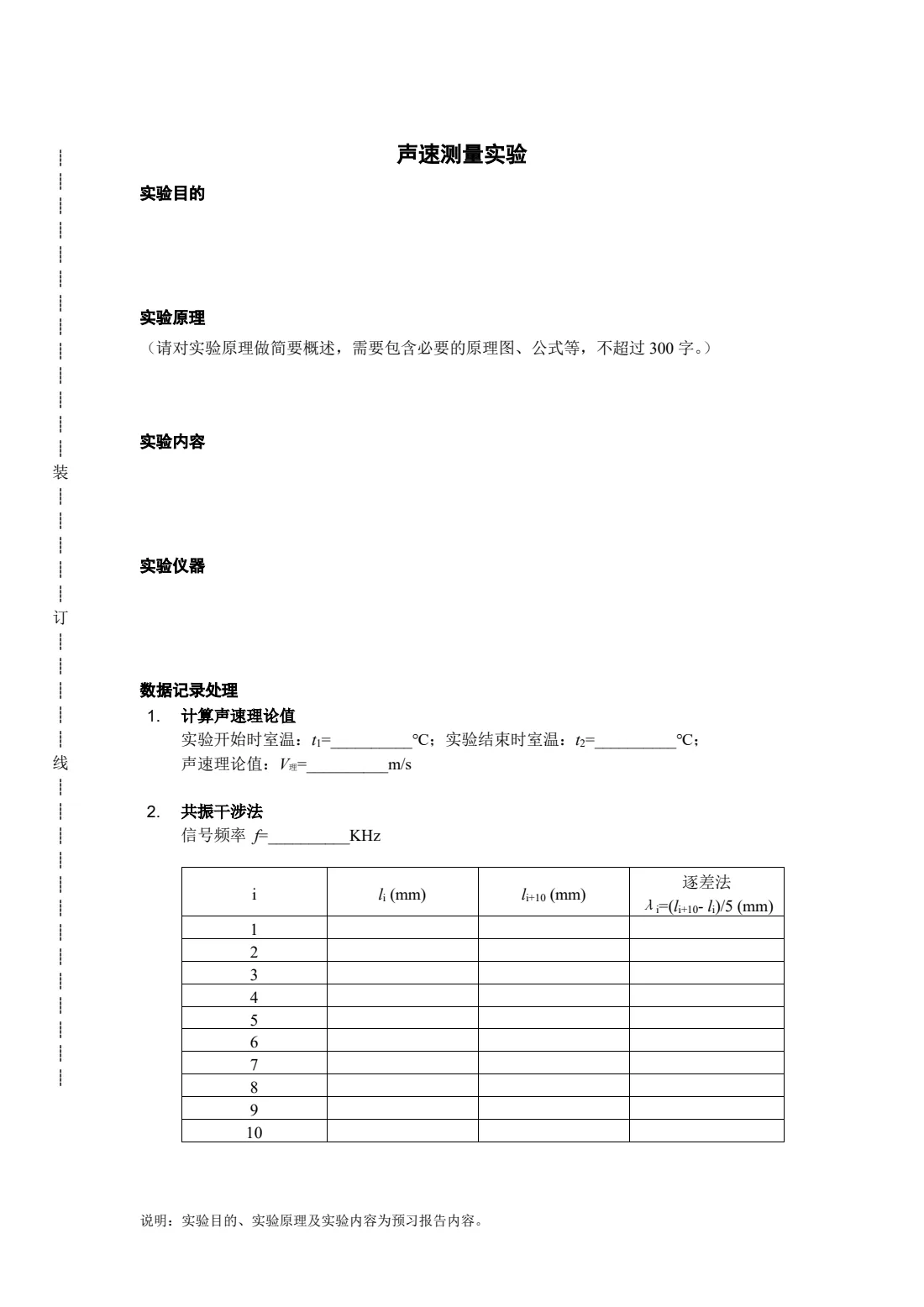
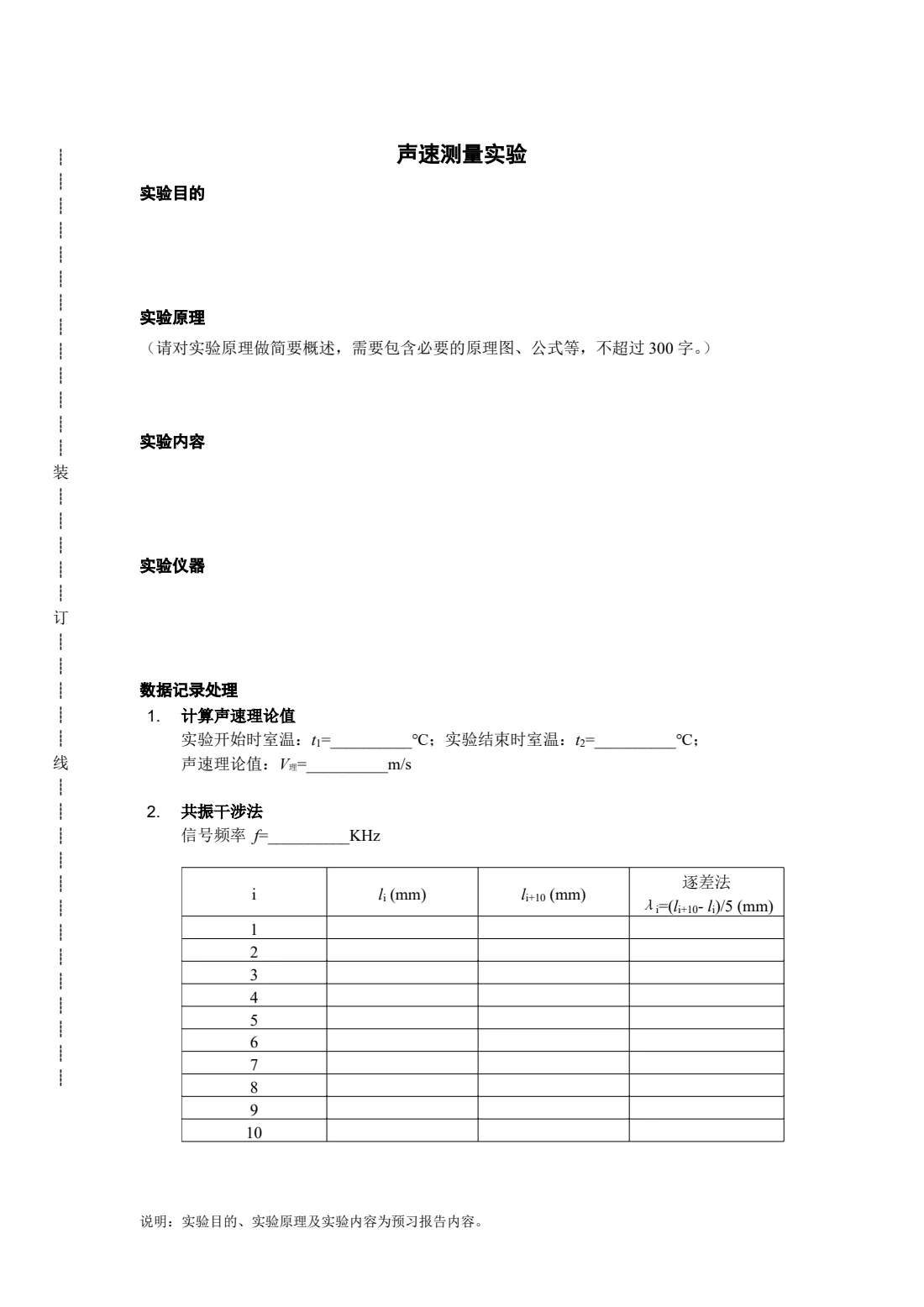
- 1Binding gutter: the dotted rule and the vertical 装/订/线 sit where Word puts them
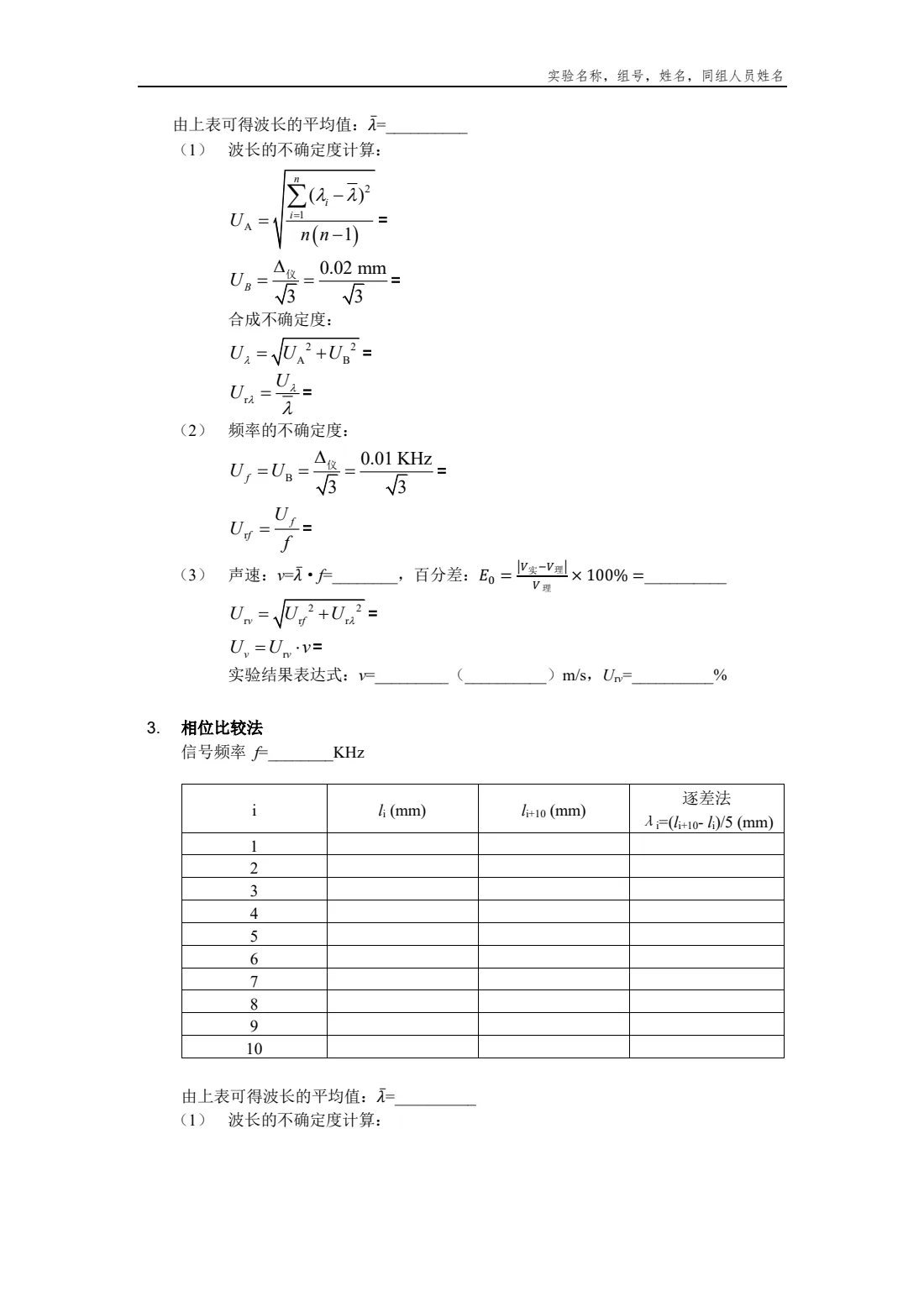
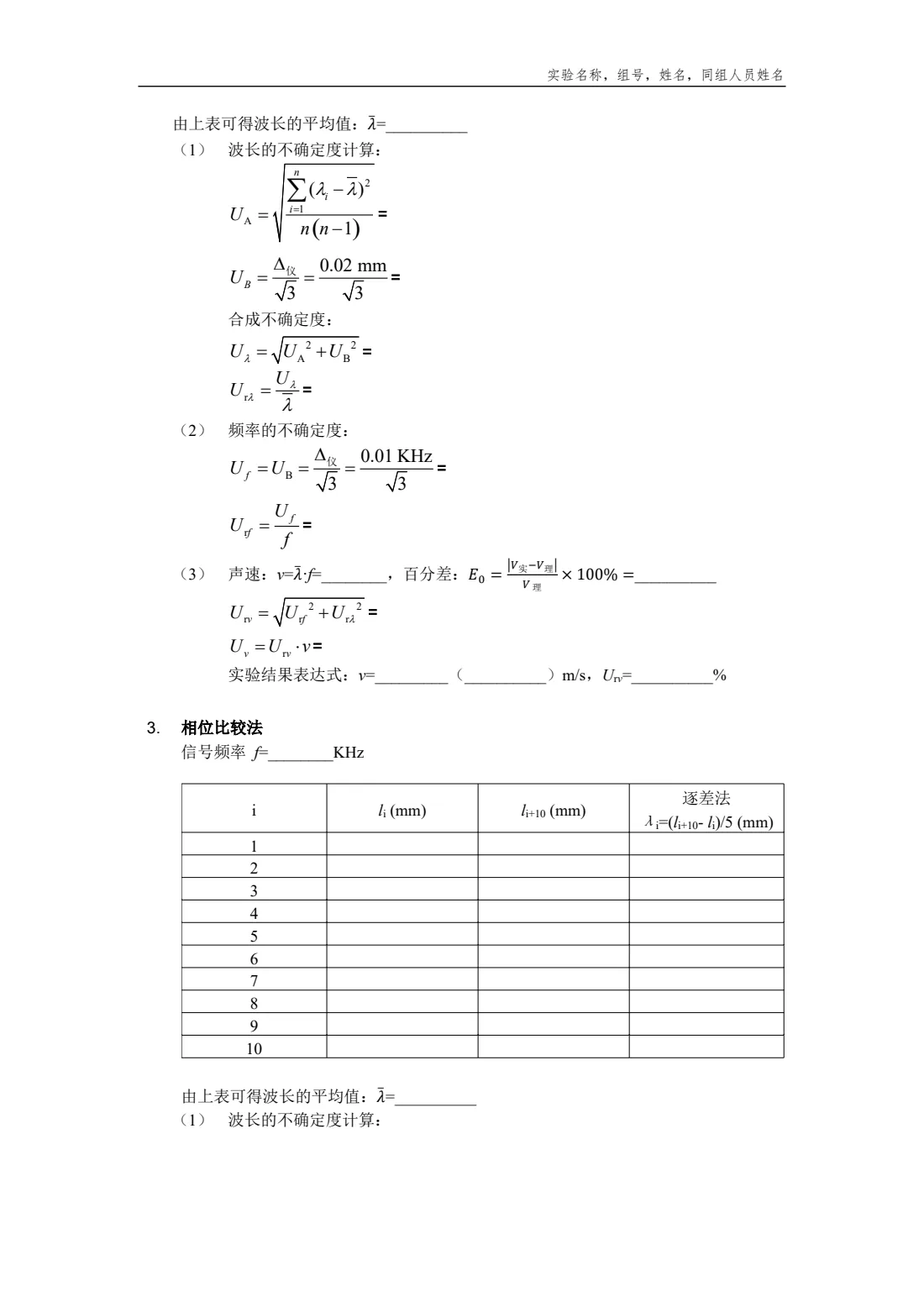
- 2Running header with its rule
- 3Legacy equation objects (WMF) sit on the text baseline at their original size
Figure audit table on landscape pages
An 11-page landscape table mixing Chinese, English, file names and paths in its cells. Page breaks and in-cell line breaks match Word on every page.
Real document, anonymised · Word 11 pages · OfficePDF 11 pages
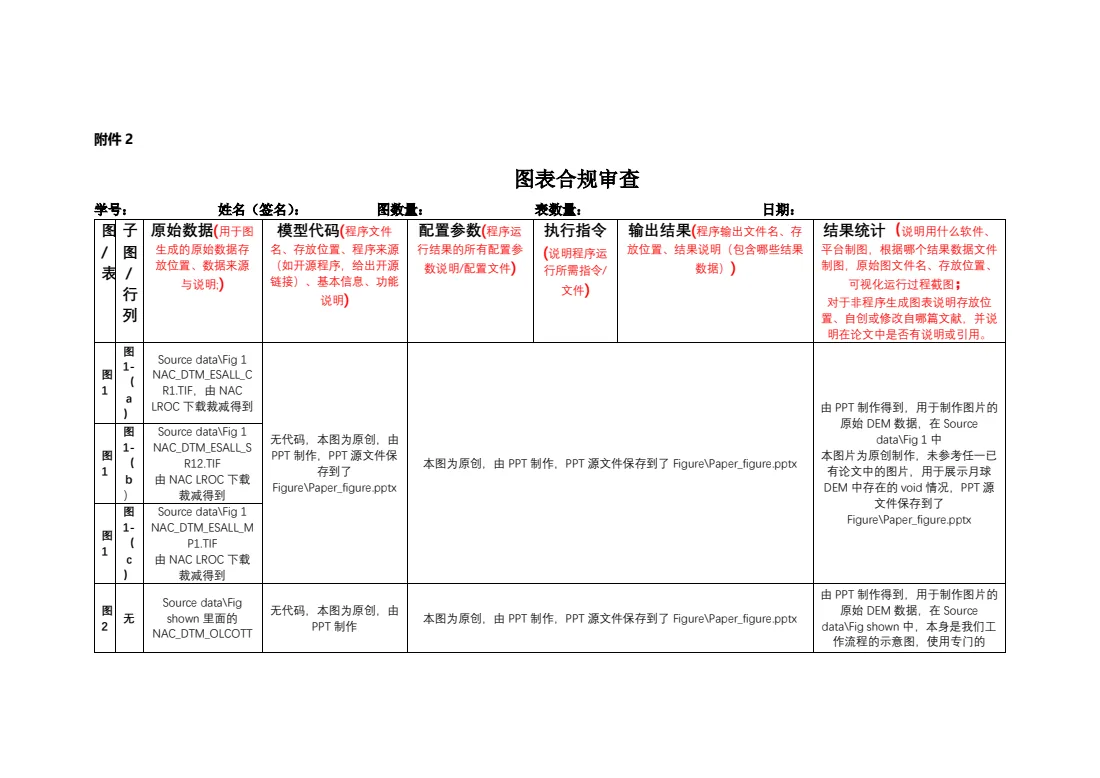
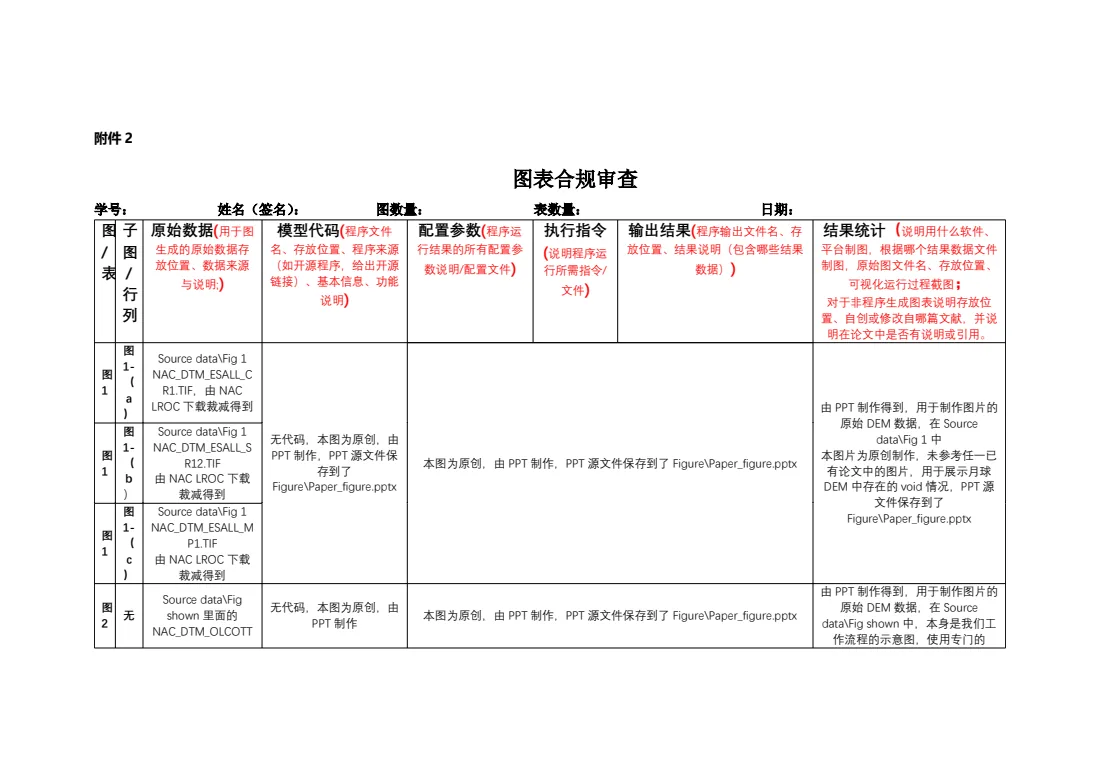
- 1Multi-line header: Chinese wraps in the narrow columns where Word wraps it
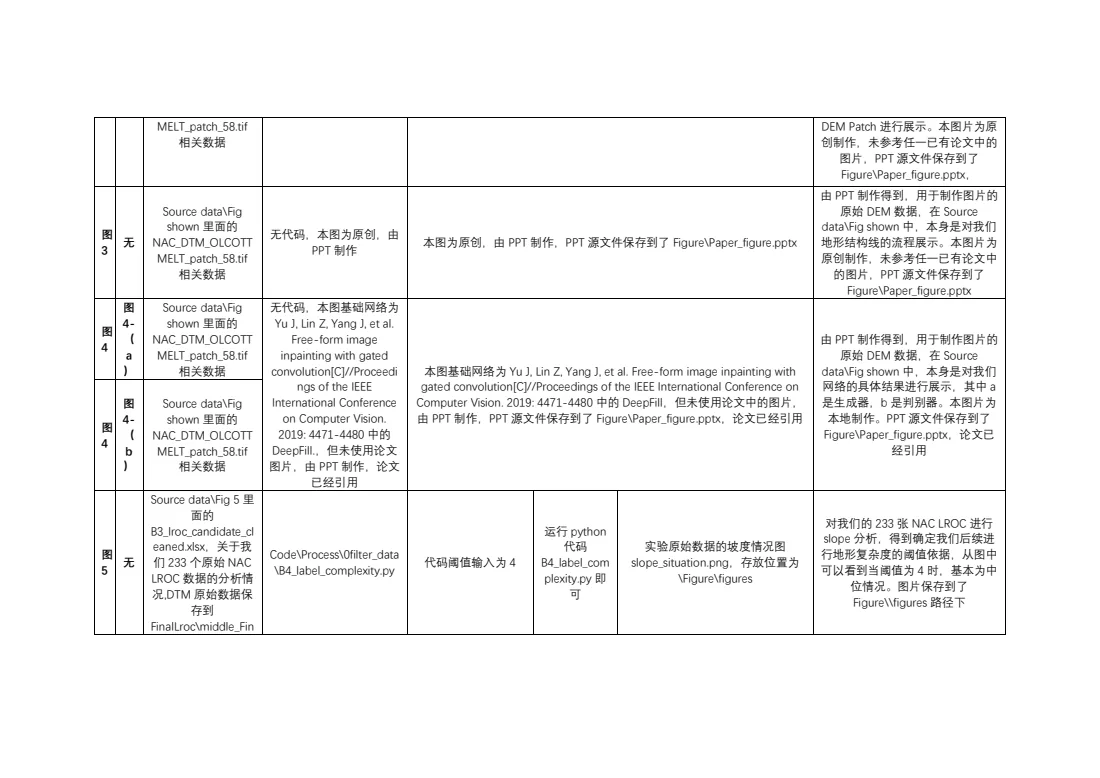
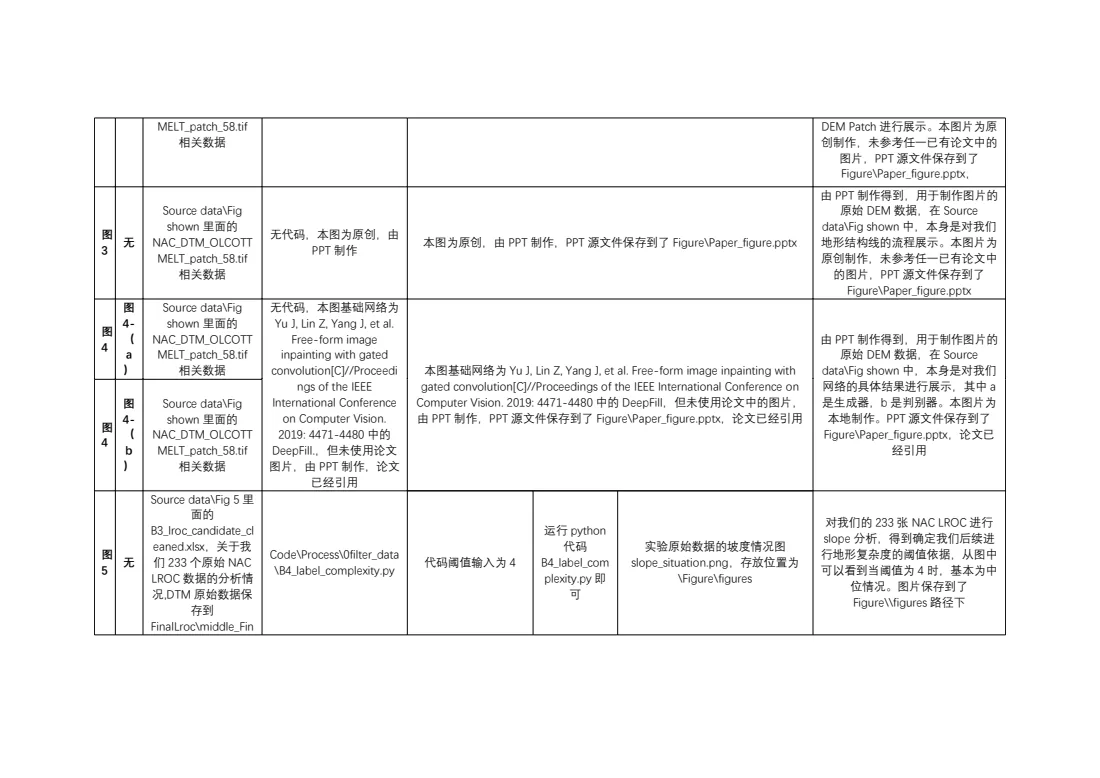
- 2The table continues across pages; cells mixing file names and Chinese wrap identically
Multi-page register table
A 48-row register: the header row repeats on each page, and a two-line record that does not fit moves to the next page whole (Word’s widow control).
Our test document · Word 4 pages · OfficePDF 4 pages
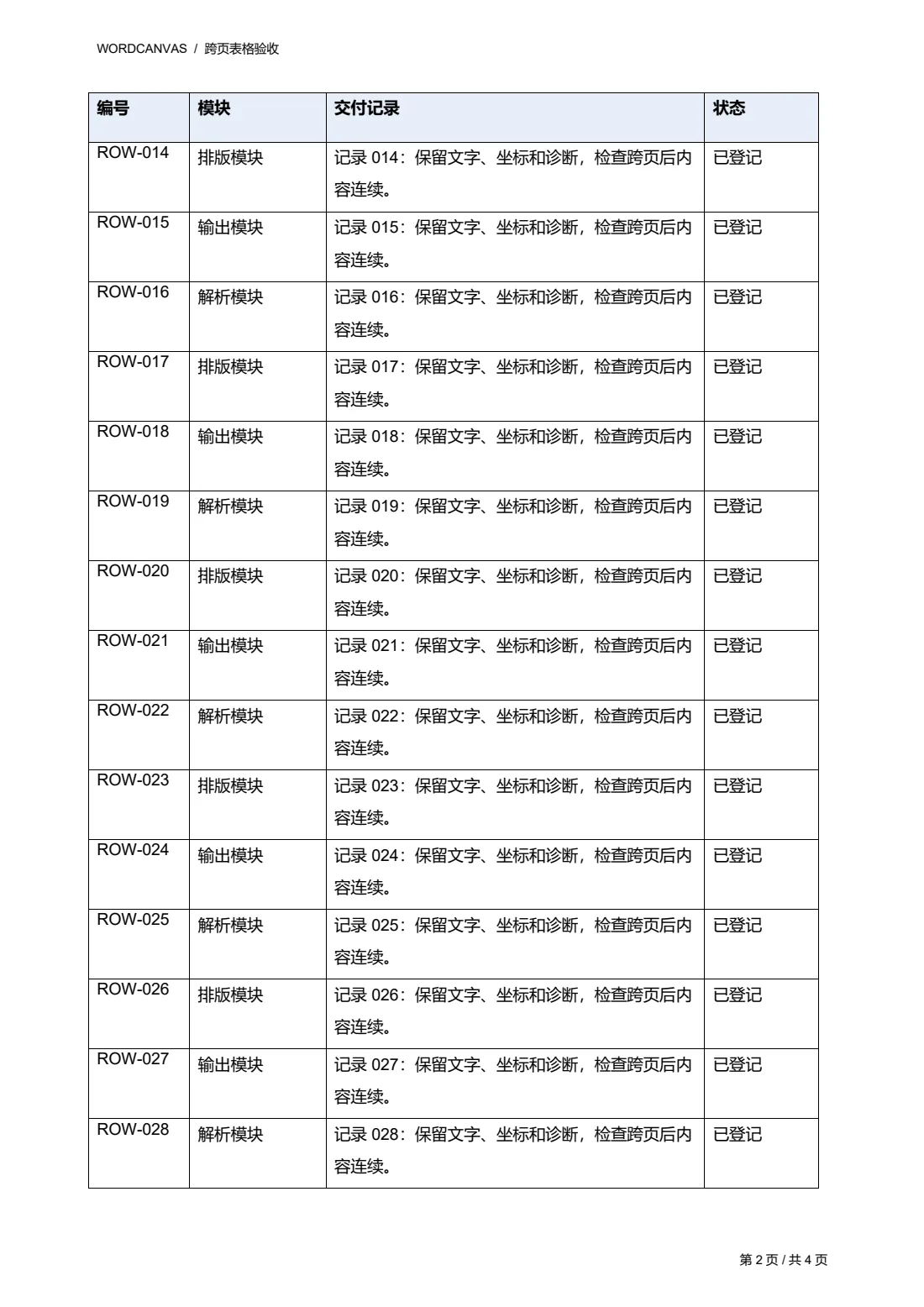
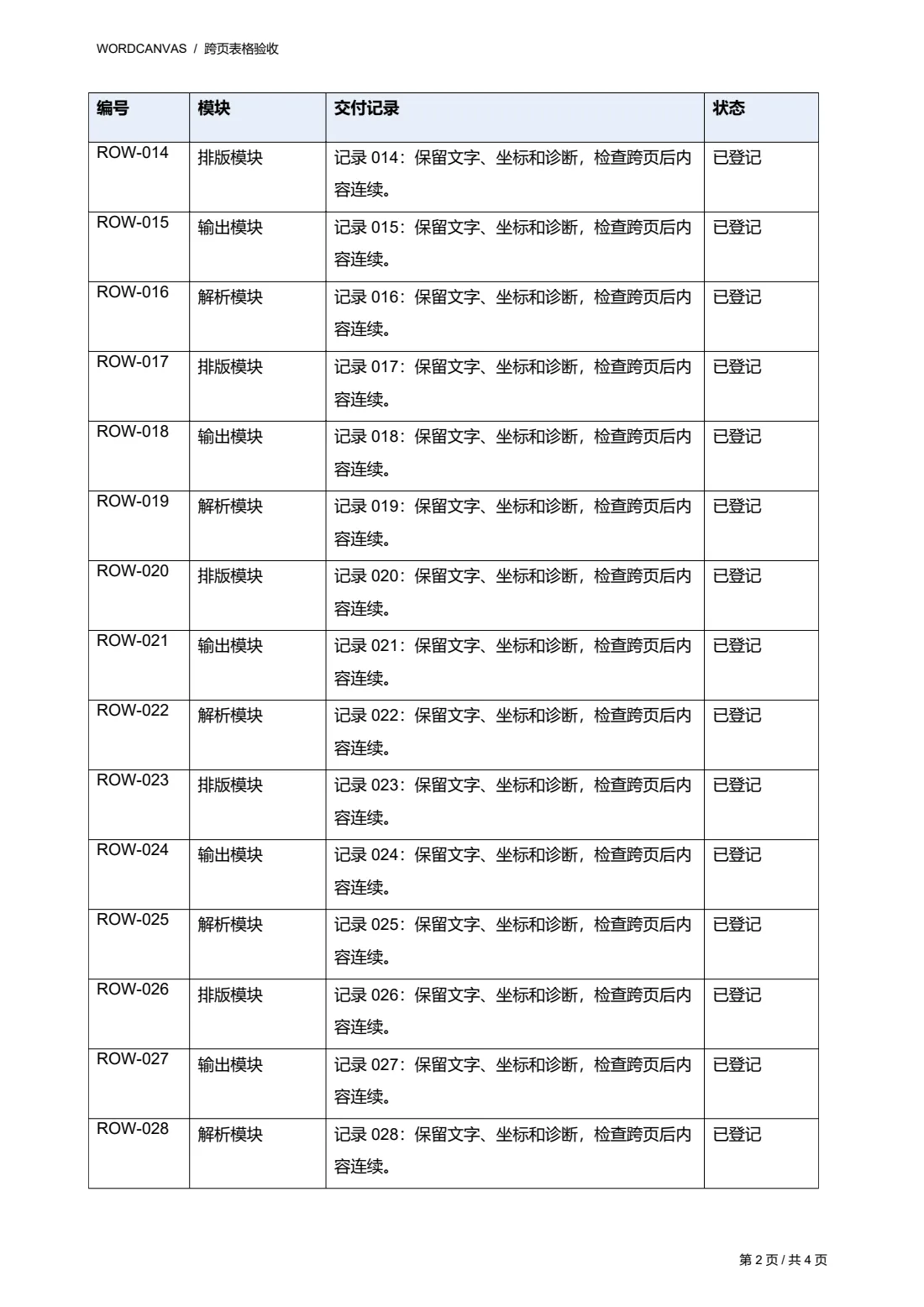
- 1The header row repeats at the top of each page
- 2The two-line record ROW-014 moves to page 2 whole, as in Word
Nested tables across pages
An outer table with a merged column and three nested tables. Nested rows break at the page foot line by line — Word applies no widow control inside nested tables, and neither do we.
Our test document · Word 4 pages · OfficePDF 4 pages
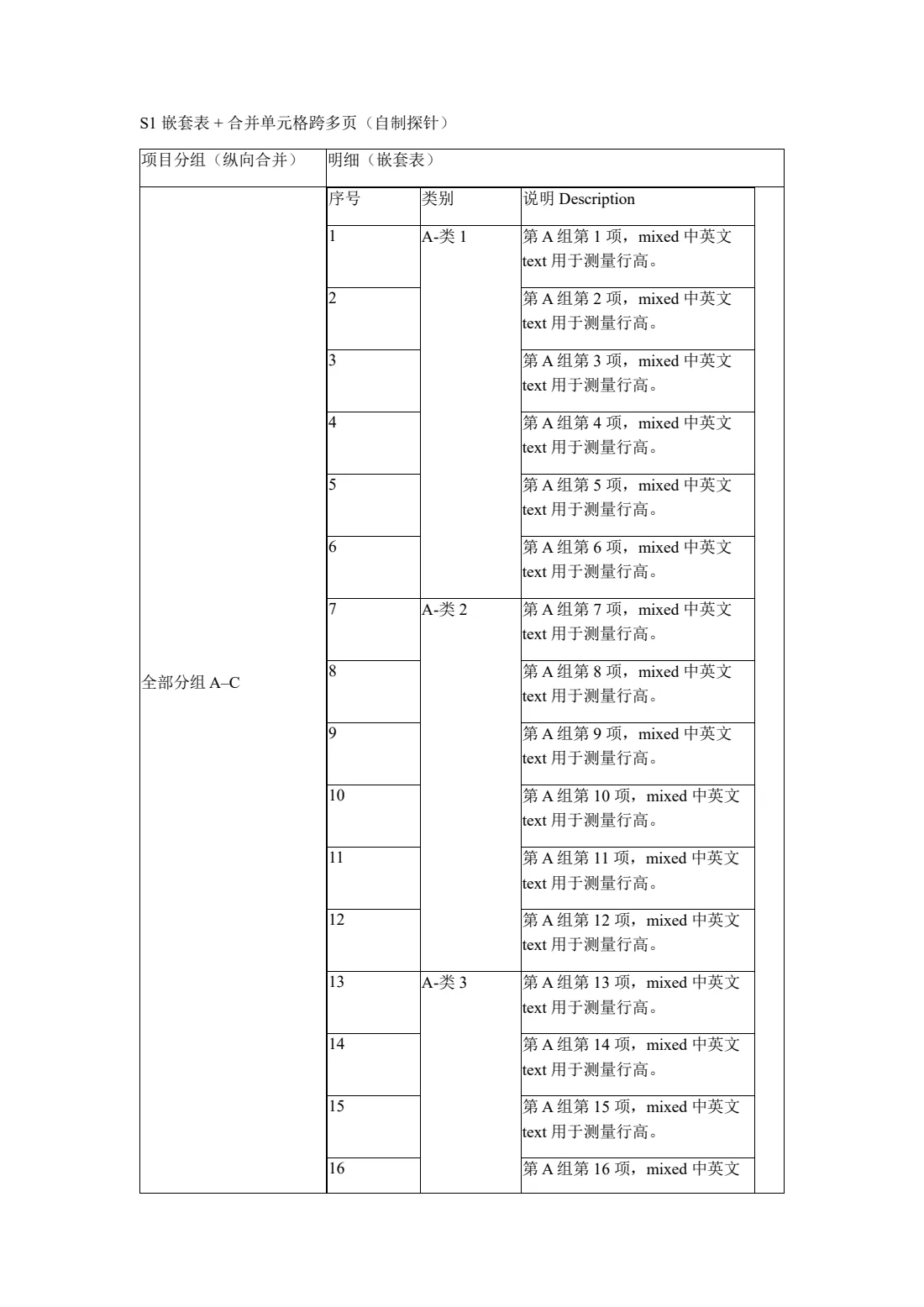
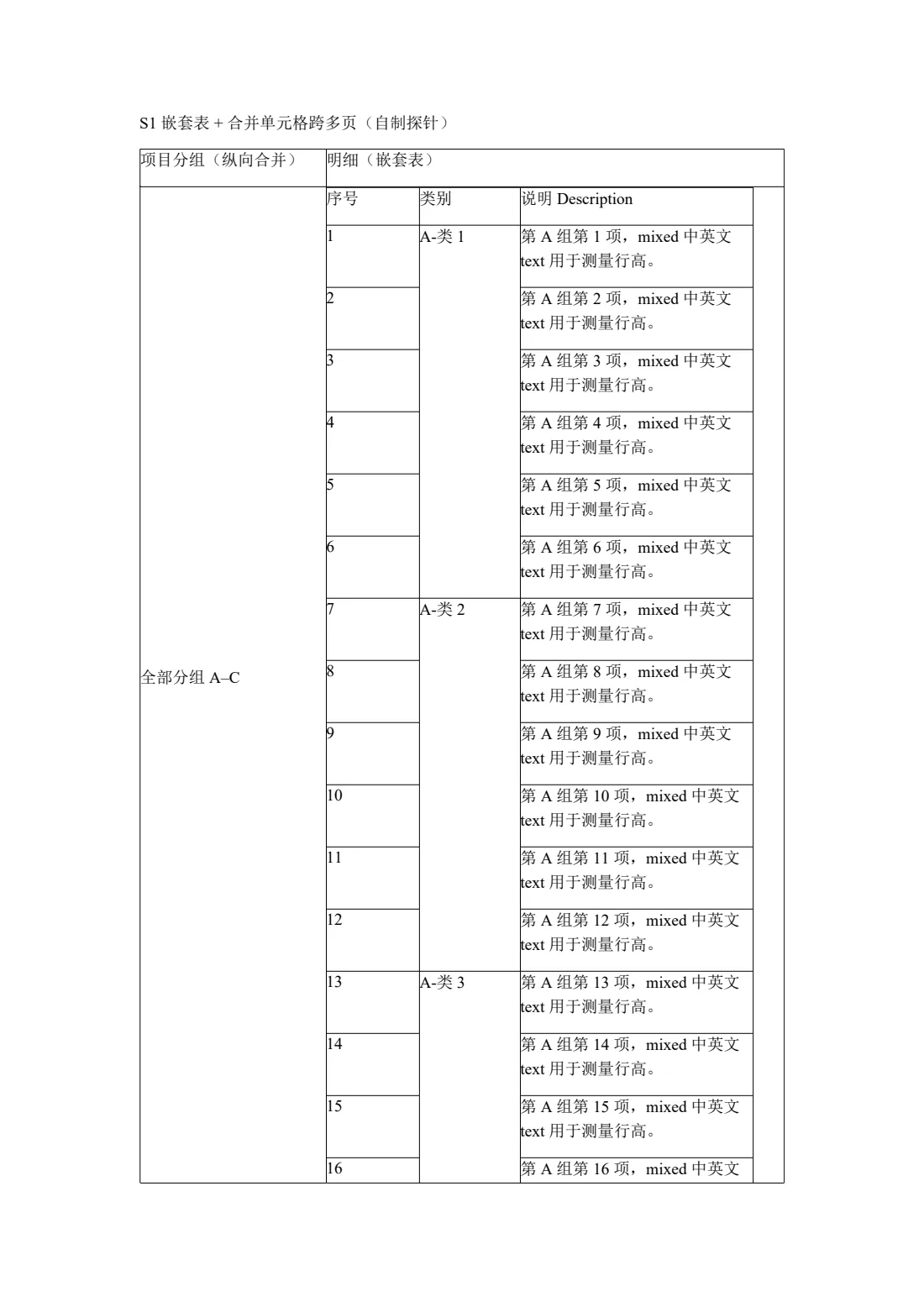
- 1The first line of item 16 stays on page 1
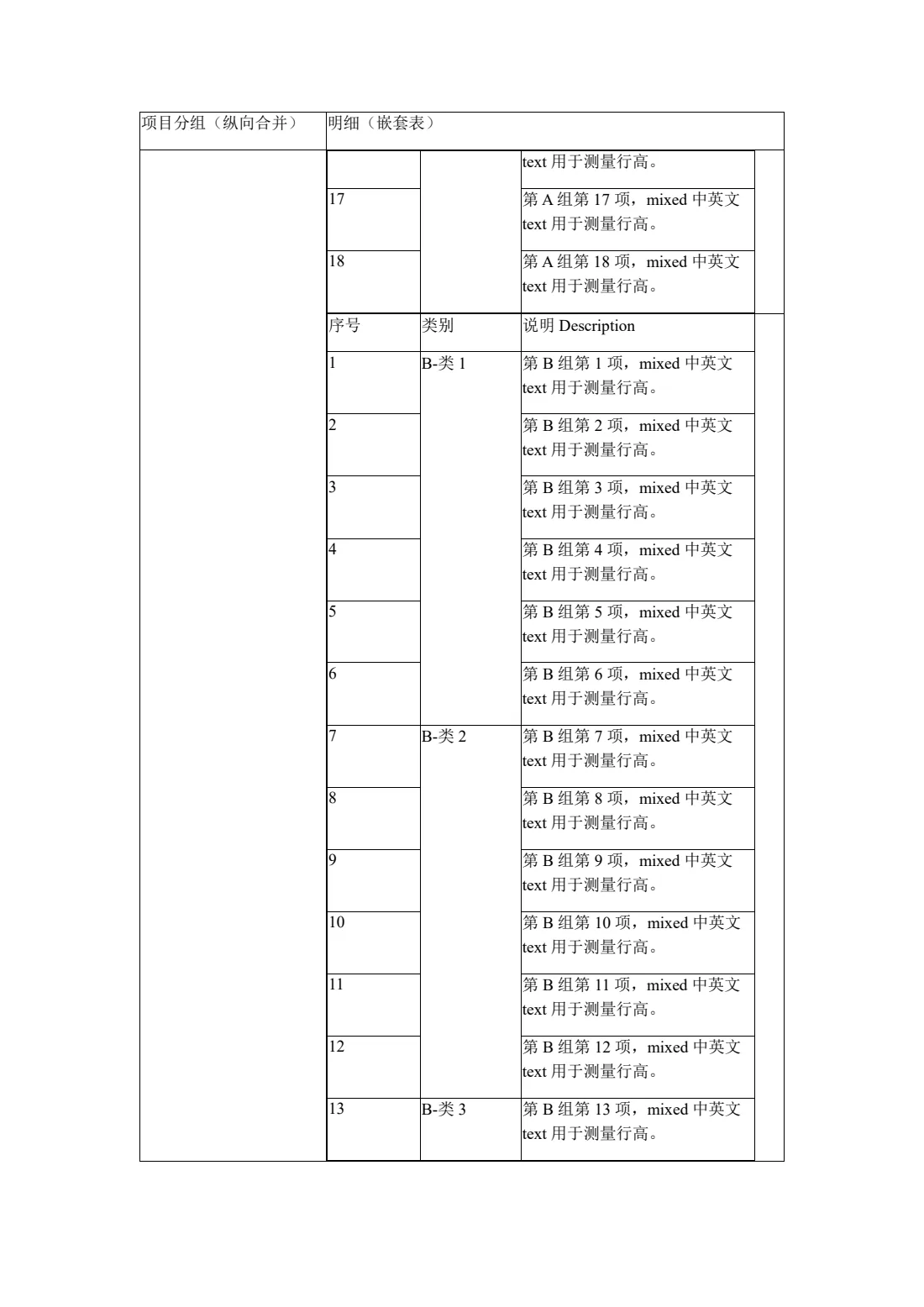
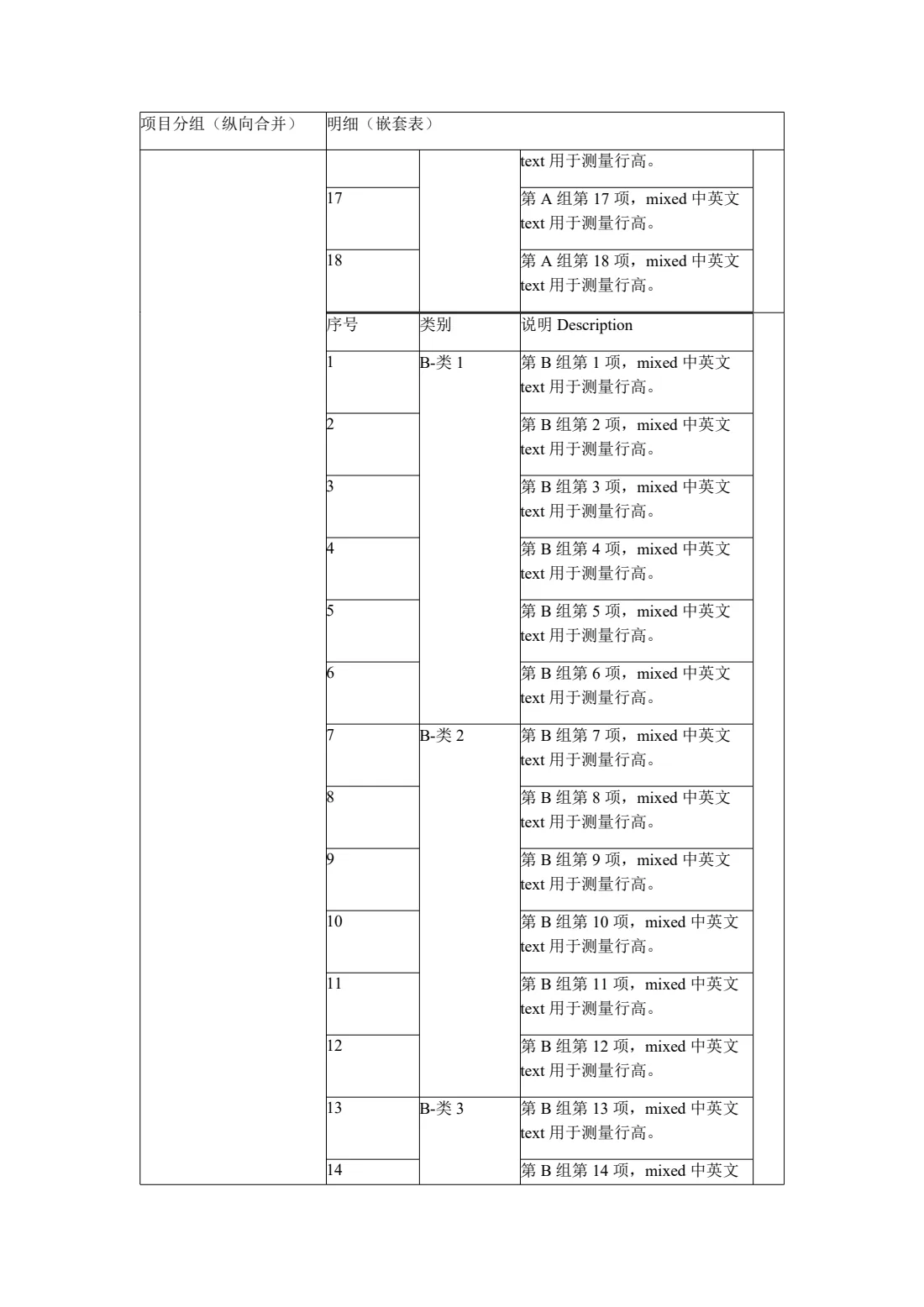
- 2Its second line continues at the top of page 2
Sections with odd/even headers
Three sections with different odd and even headers, restarted page numbers and odd-page section breaks — Word inserts a blank page where needed.
Our test document · Word 14 pages · OfficePDF 14 pages


- 1Odd-page section break: a blank page is inserted here, as in Word
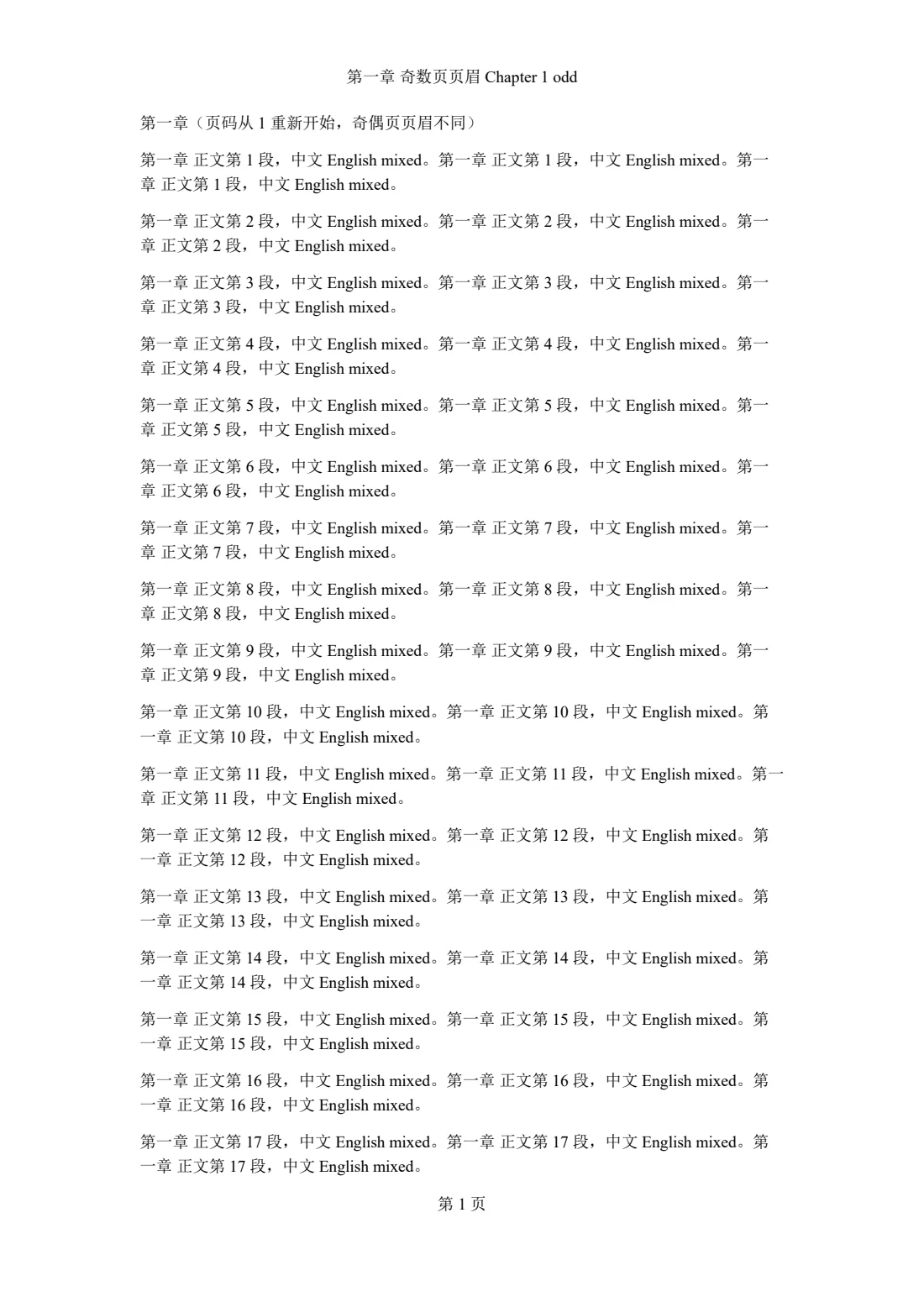
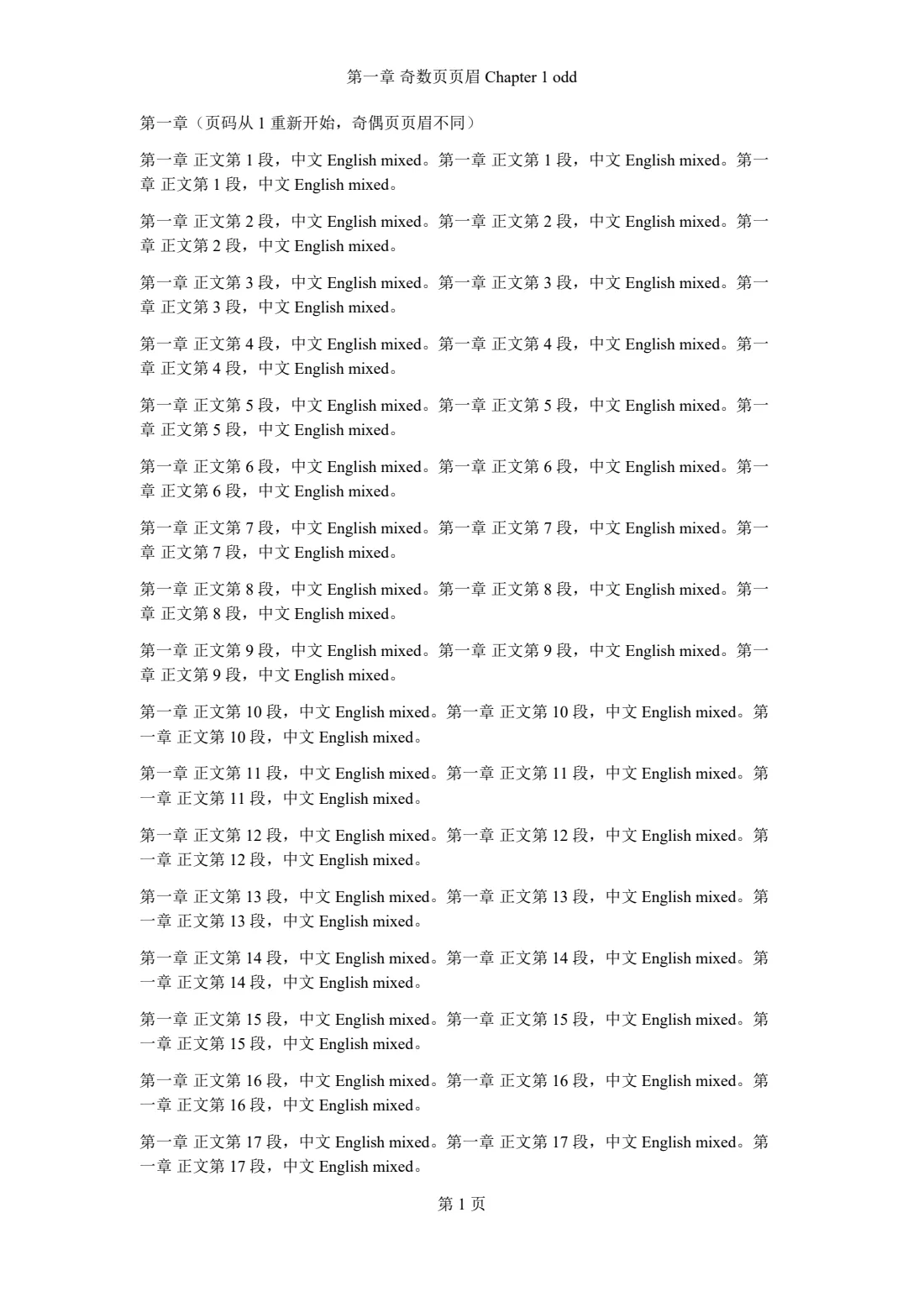
- 2The new section uses its own odd-page header
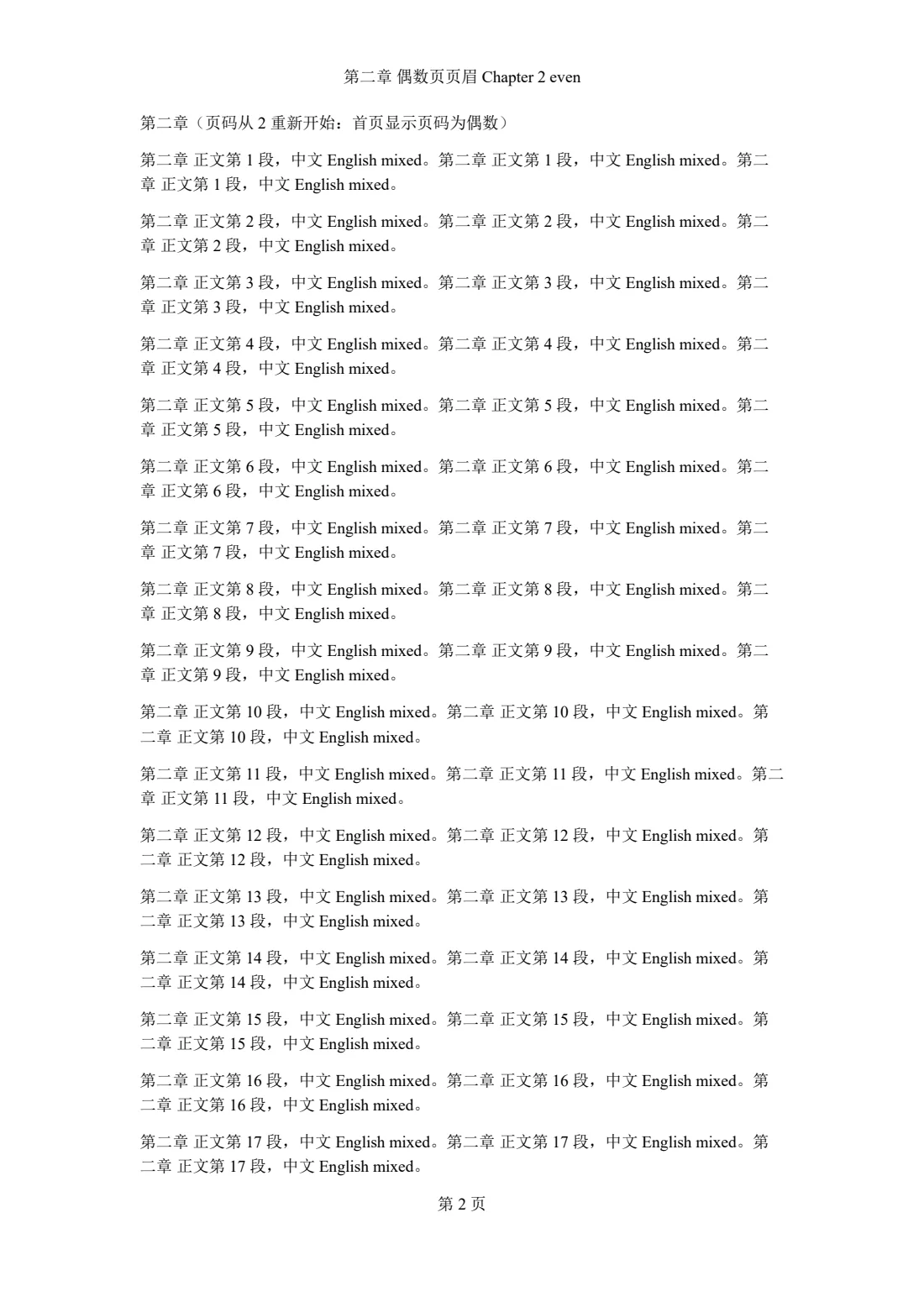
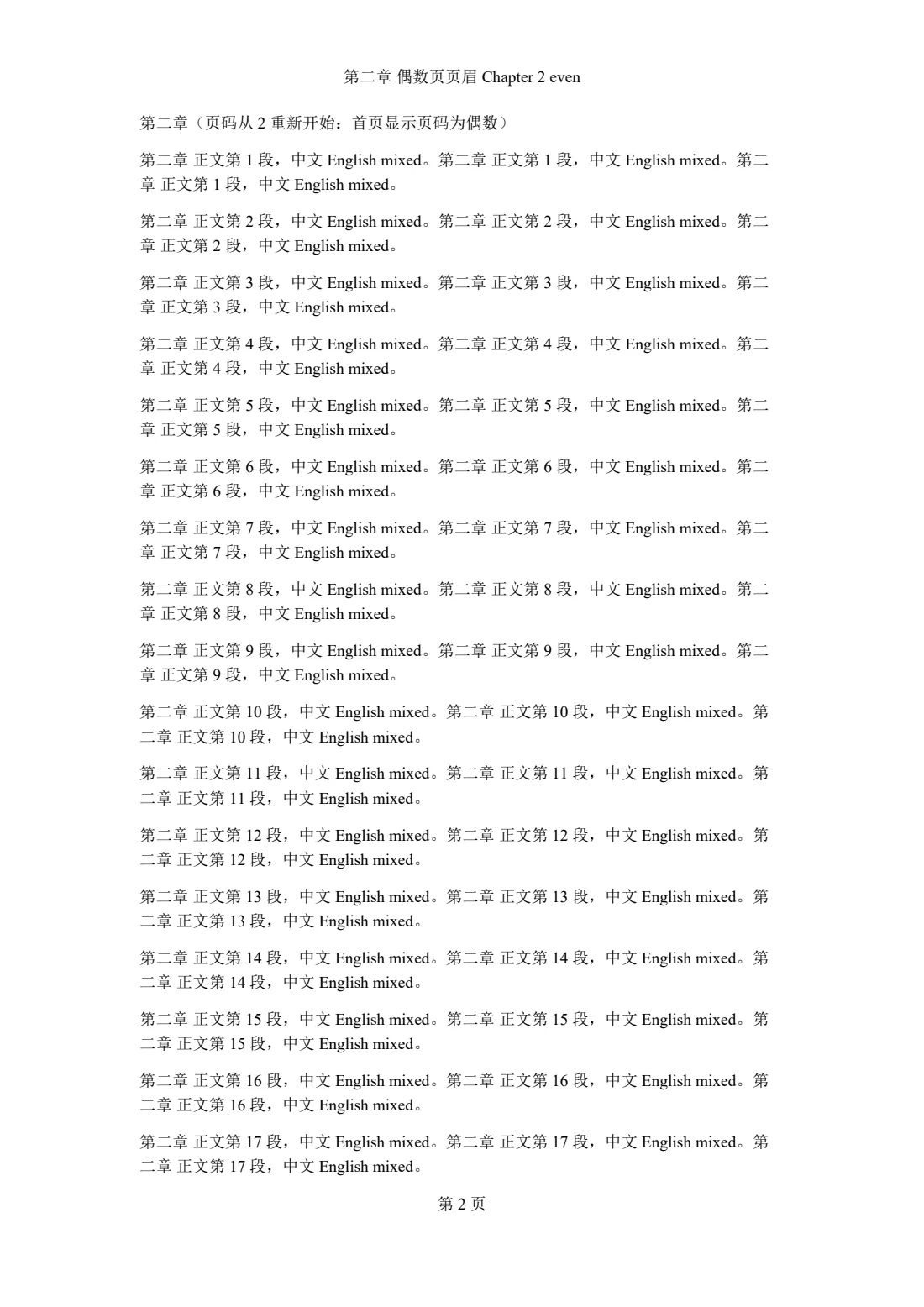
- 3Numbering restarts at 2, so the first page takes the even header
- 4The PAGE field is recomputed per section
Bioinformatics exam paper
An exam dense with Chinese, English, code and terms: shaded notes, coloured headings and tables. Font fallback and CJK/Latin spacing match Word across all 5 pages.
Real document, anonymised · Word 5 pages · OfficePDF 5 pages
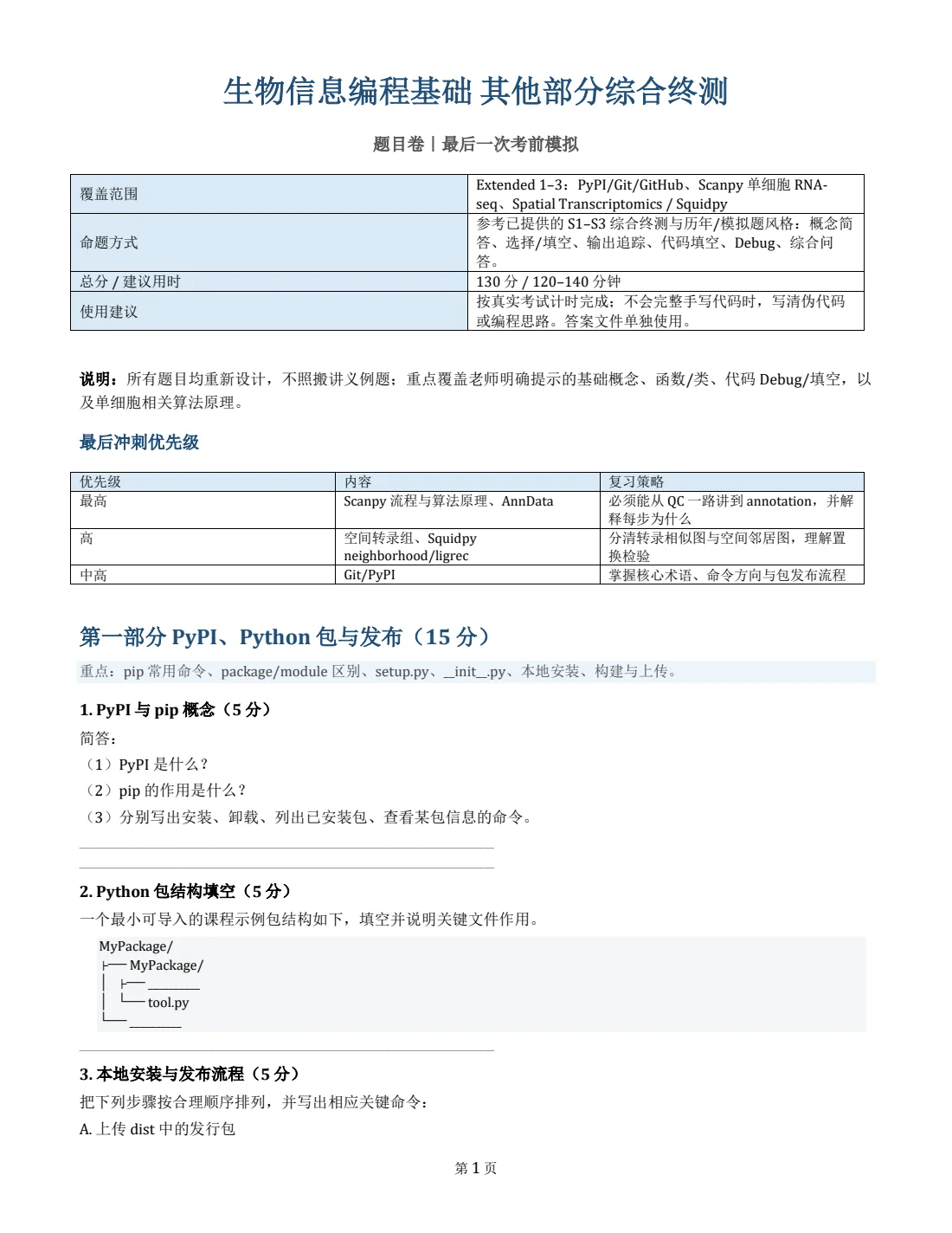
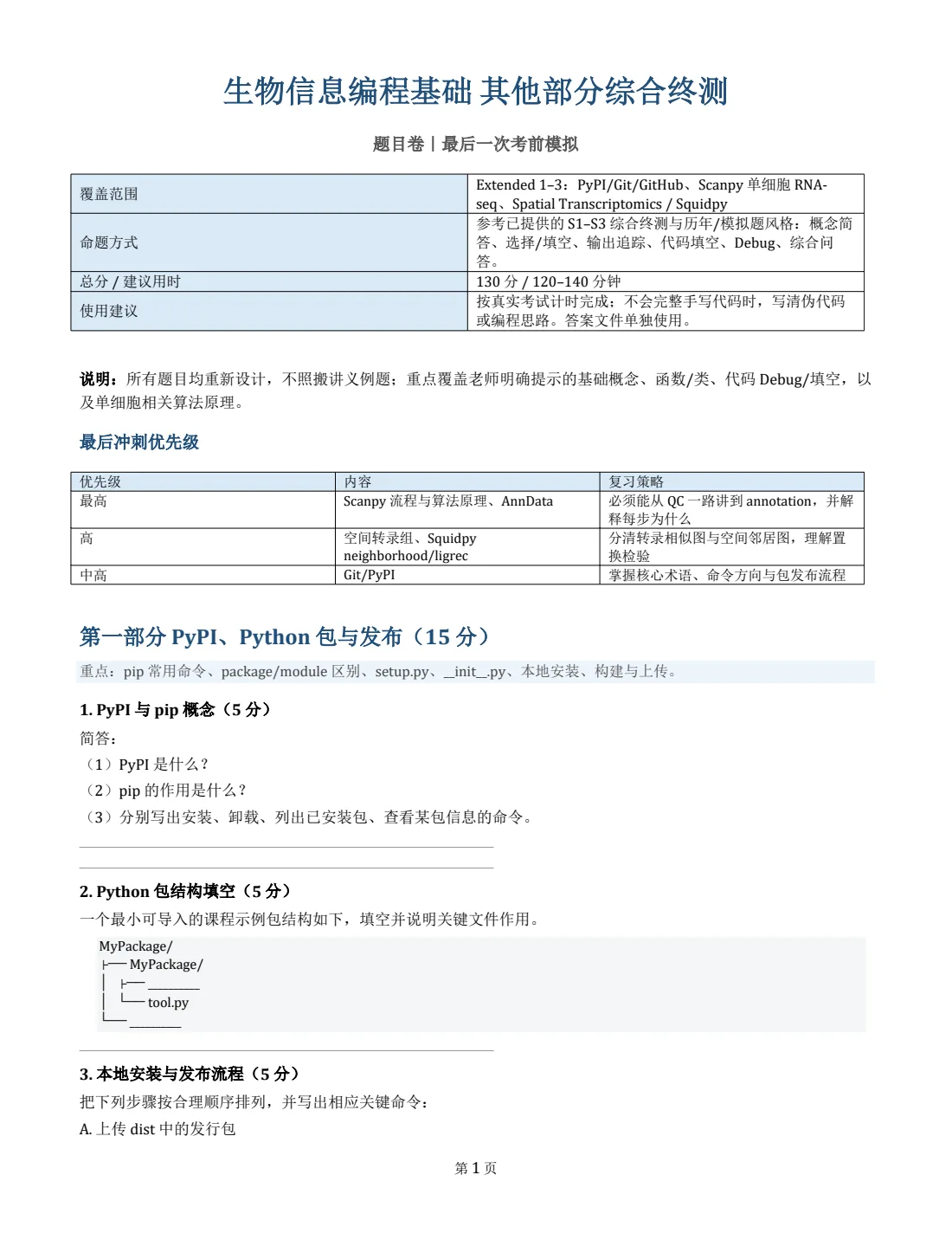
- 1Table cells mixing Chinese and English terms wrap where Word wraps them
- 2The Chinese title uses the same substitute font as Word
Anchored text boxes near the page foot
Text boxes anchored to a paragraph near the page foot: one placed relative to the paragraph moves on with it; one placed relative to the bottom margin stays in the footer area. Both follow Word as measured.
Our test document · Word 10 pages · OfficePDF 10 pages
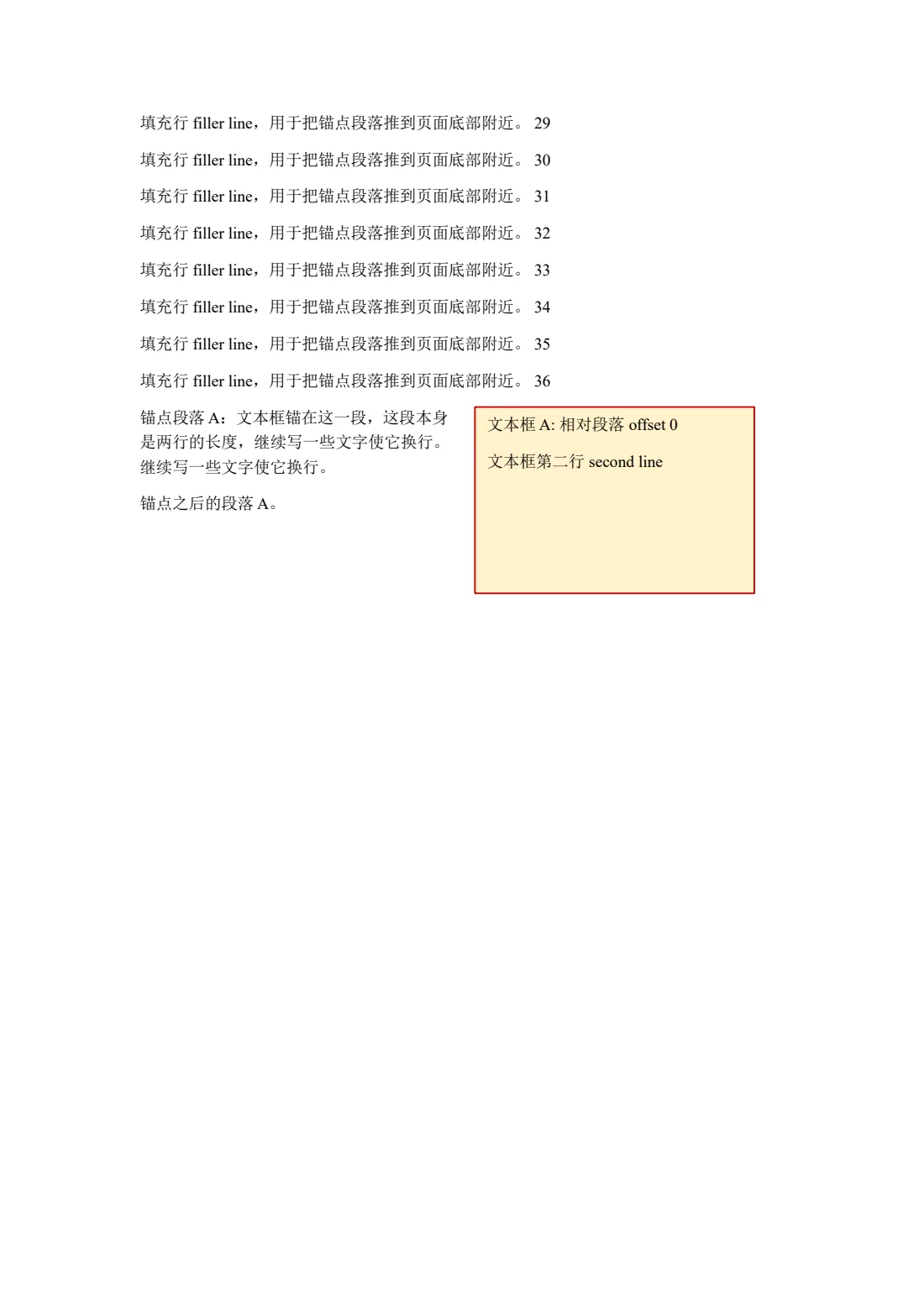
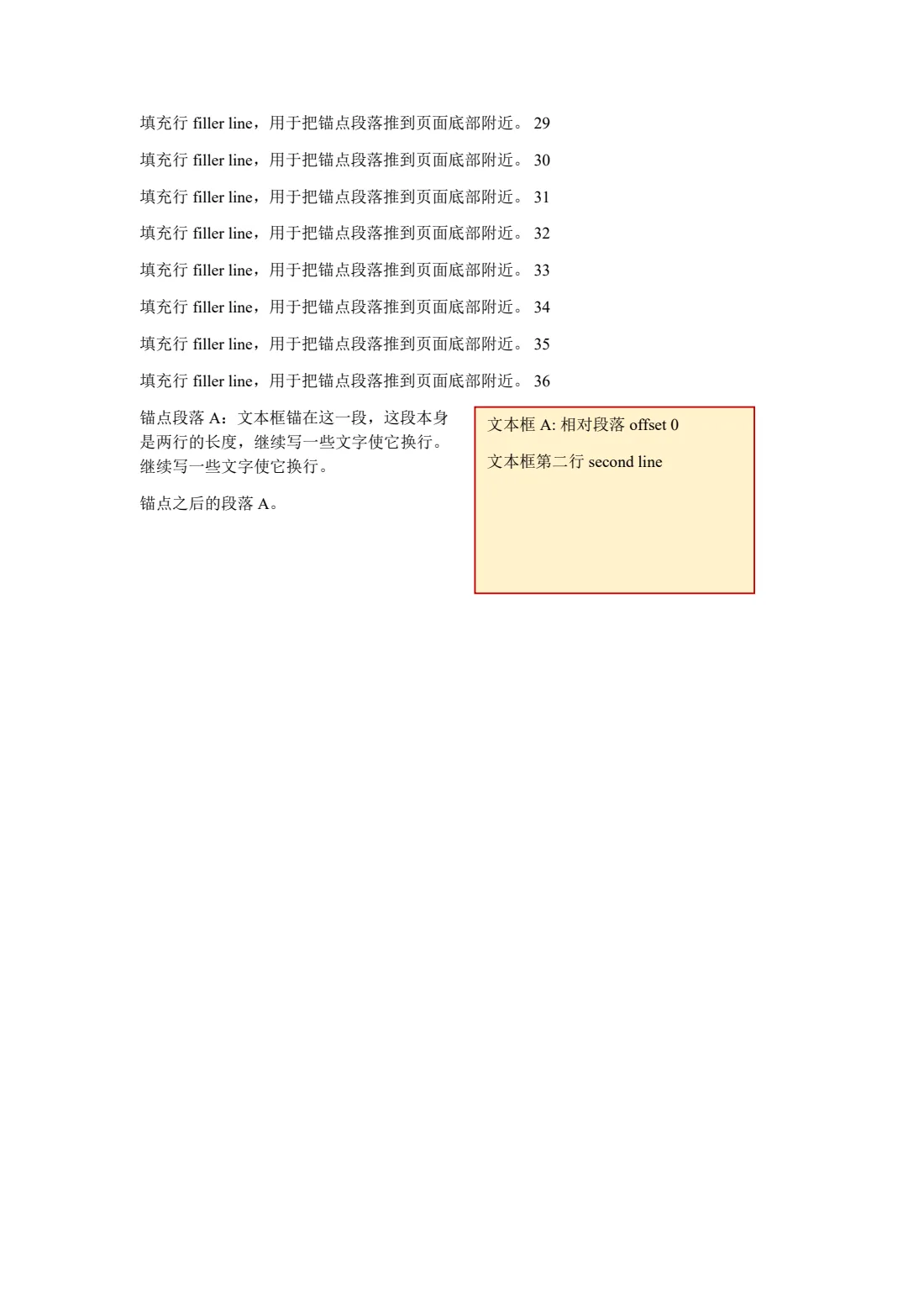
- 1The paragraph-relative box moves to page 2 with its anchor
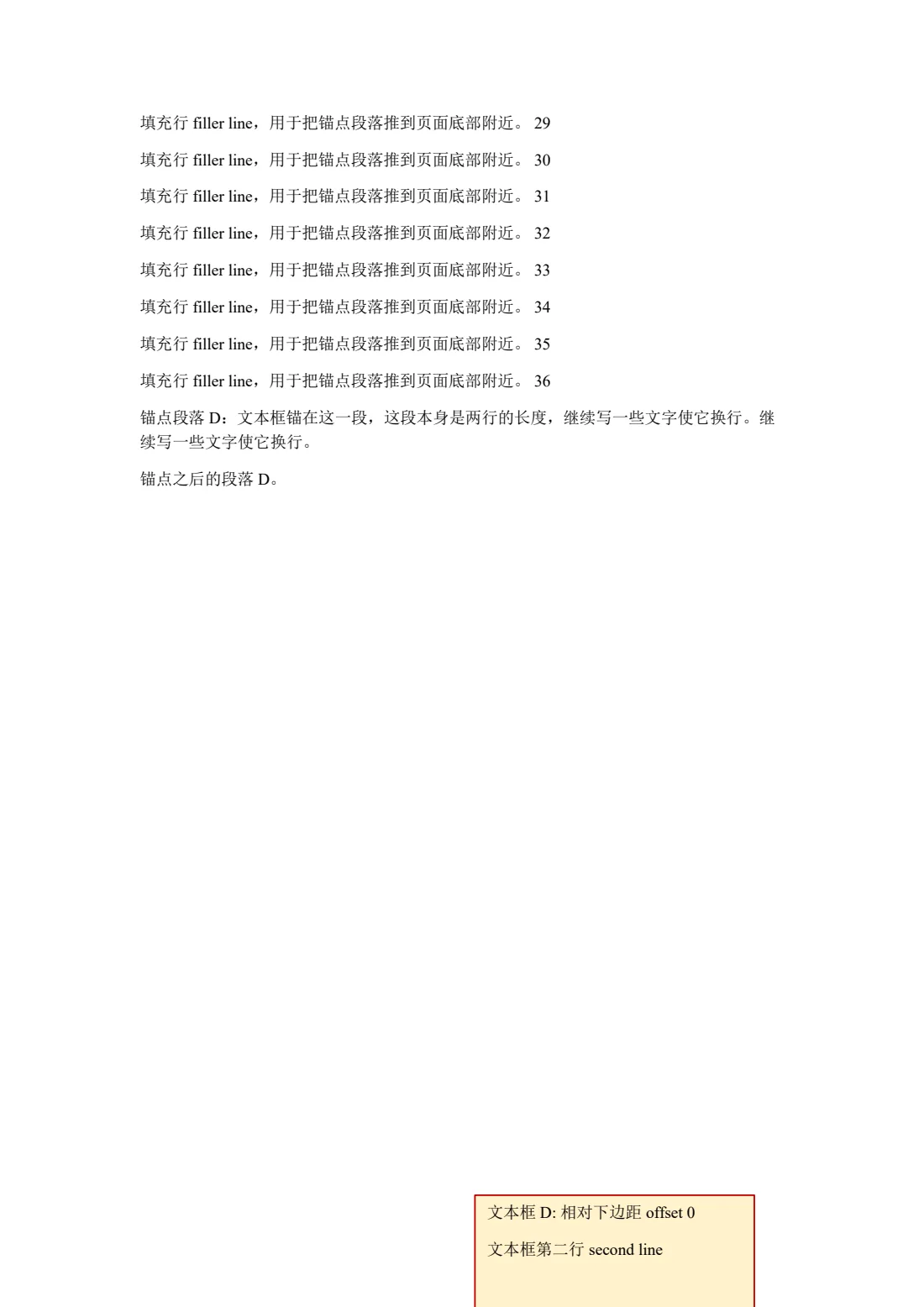
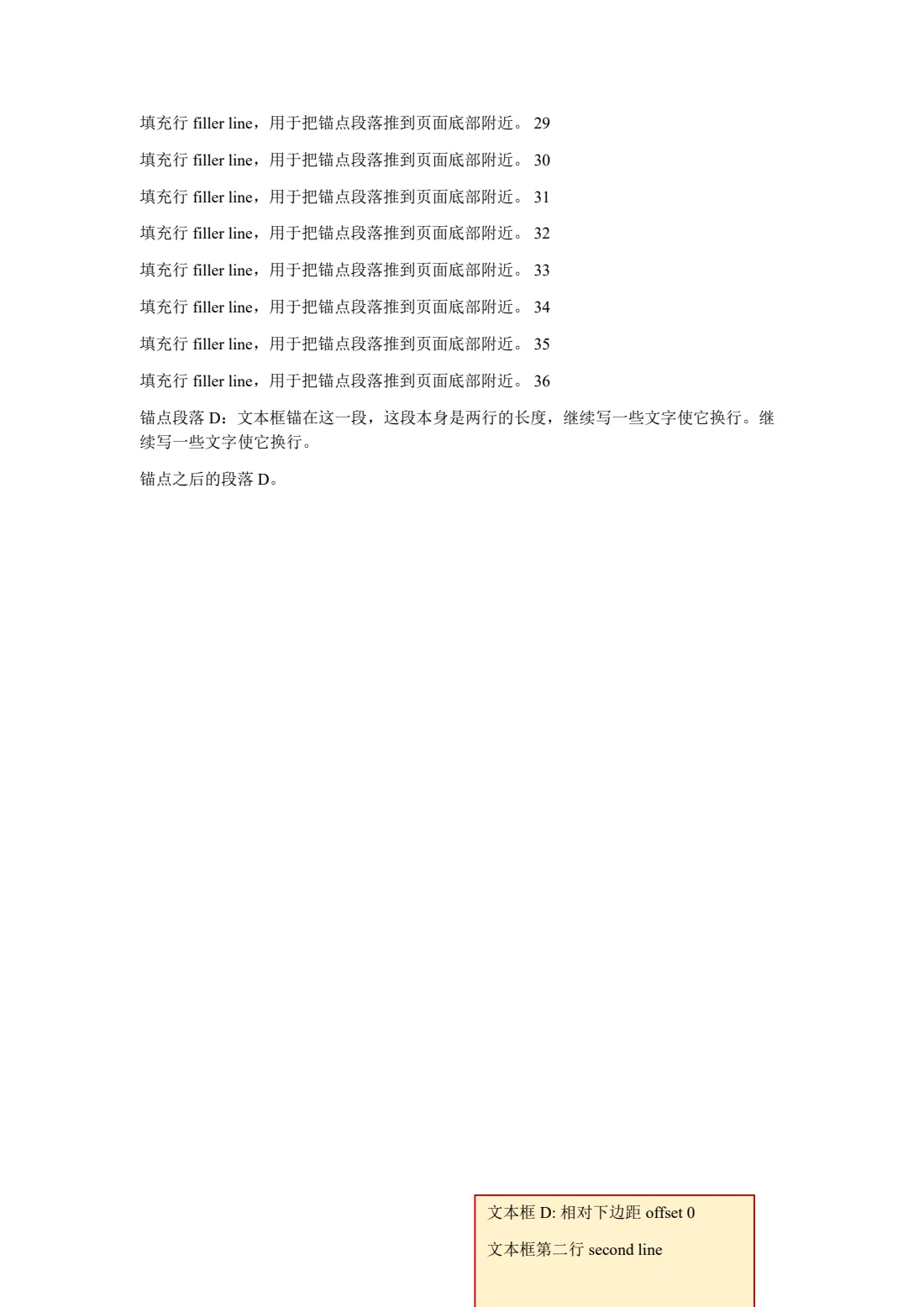
- 2Relative to the bottom margin: the box sits below it, where Word puts it
Tracked changes and comments
A contract excerpt with insertions, deletions, formatting changes and comments, rendered as Word exports it by default: the final text, no comment balloons.
Our test document · Word 1 pages · OfficePDF 1 pages


- 1A formatting revision shows its accepted result (bold)
- 2A paragraph property revision: now centred
Post Project Evaluation pro forma
A public-sector form: dark shaded headers, merged cells and many entry boxes, page-for-page with Word over 15 pages. The department logo is blanked in the download.
UK public sector · OGL v3.0 · Source · Word 15 pages · OfficePDF 15 pages
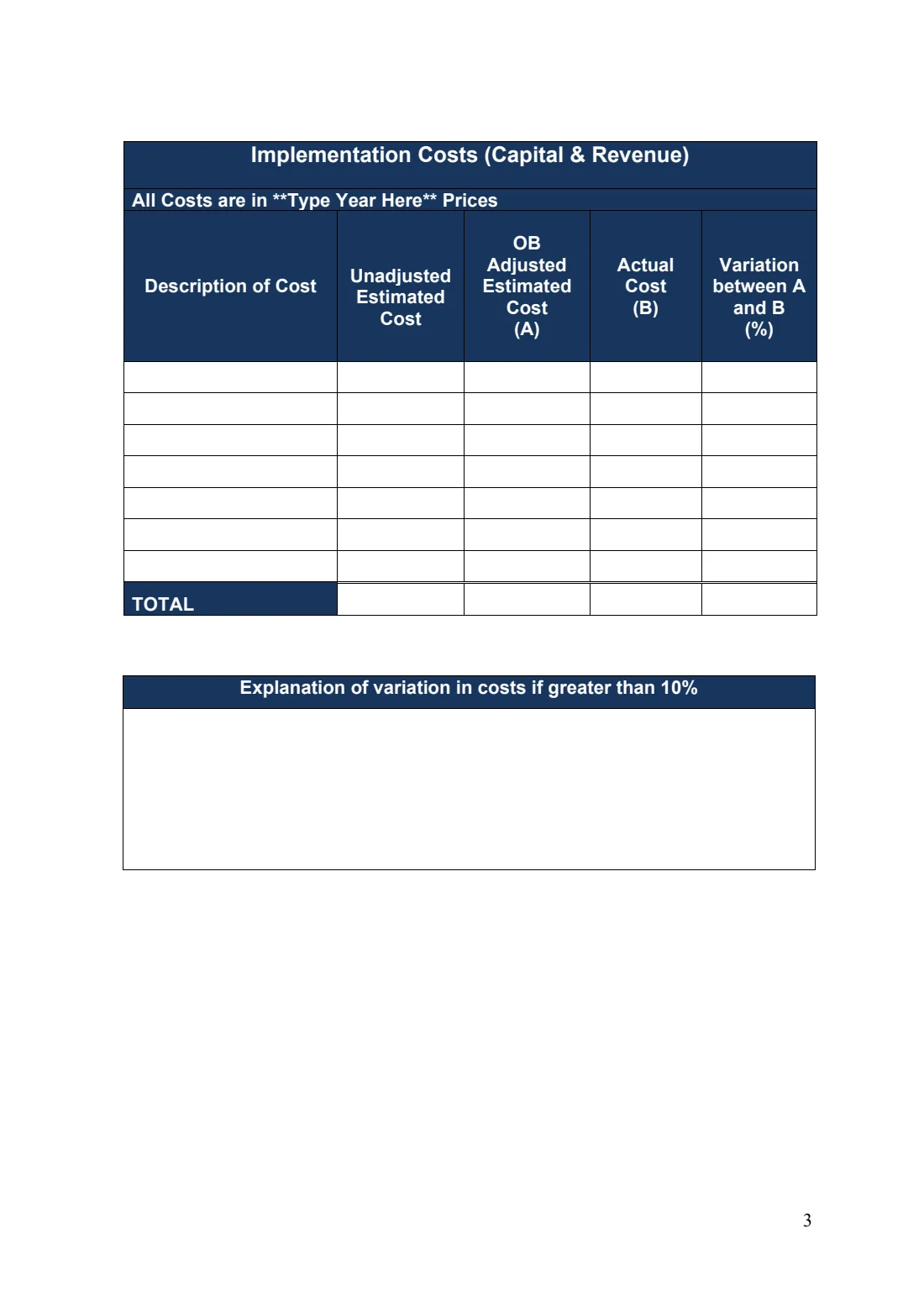
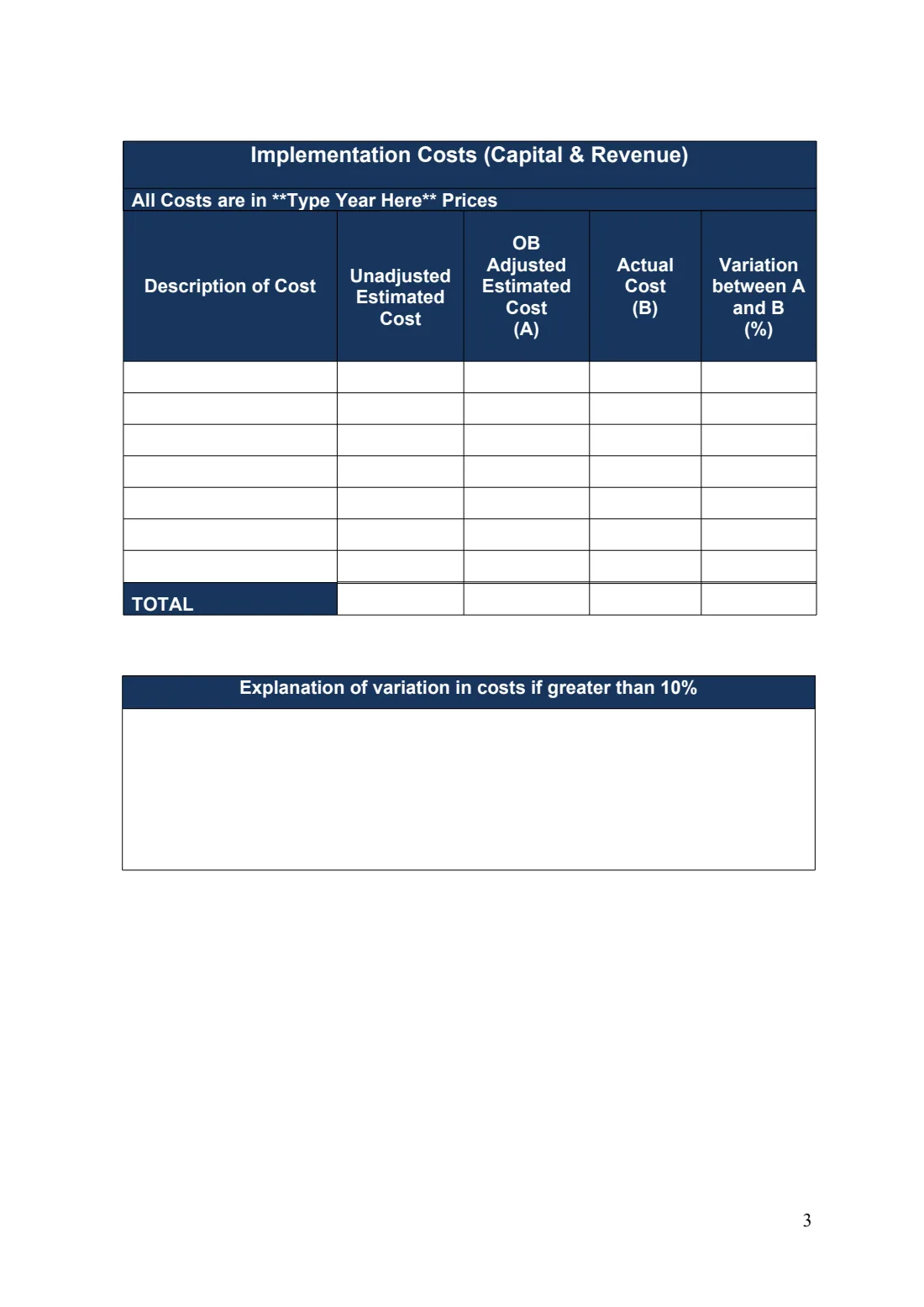
- 1Dark shaded header cells with white bold text
- 2Multi-line headings in narrow columns wrap where Word wraps them
Business continuity checklists
Sixteen checklist tables in a row with shading, indented sub-items and headings; all 6 page breaks match Word. The crest is blanked in the download.
UK public sector · OGL v3.0 · Source · Word 6 pages · OfficePDF 6 pages
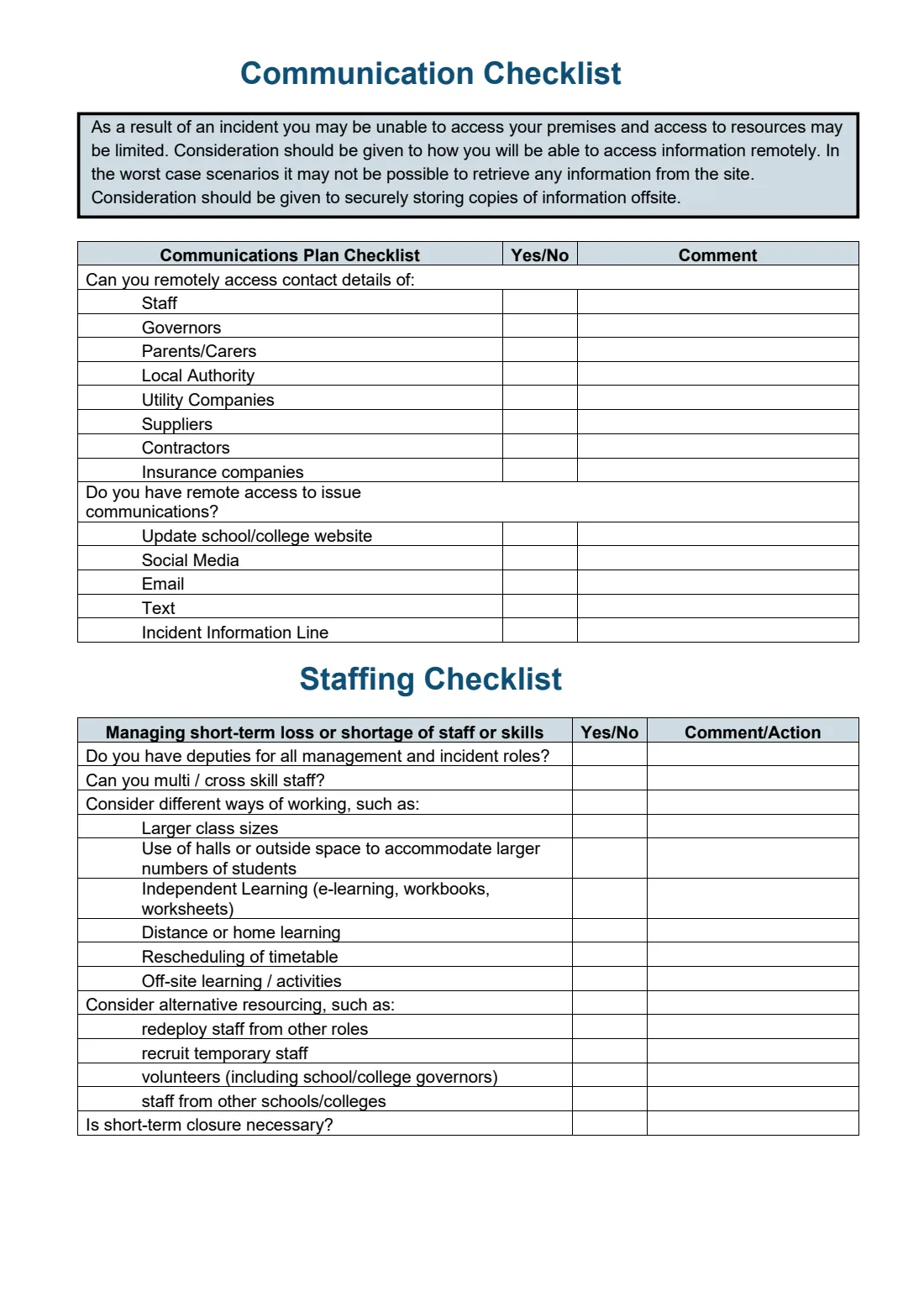
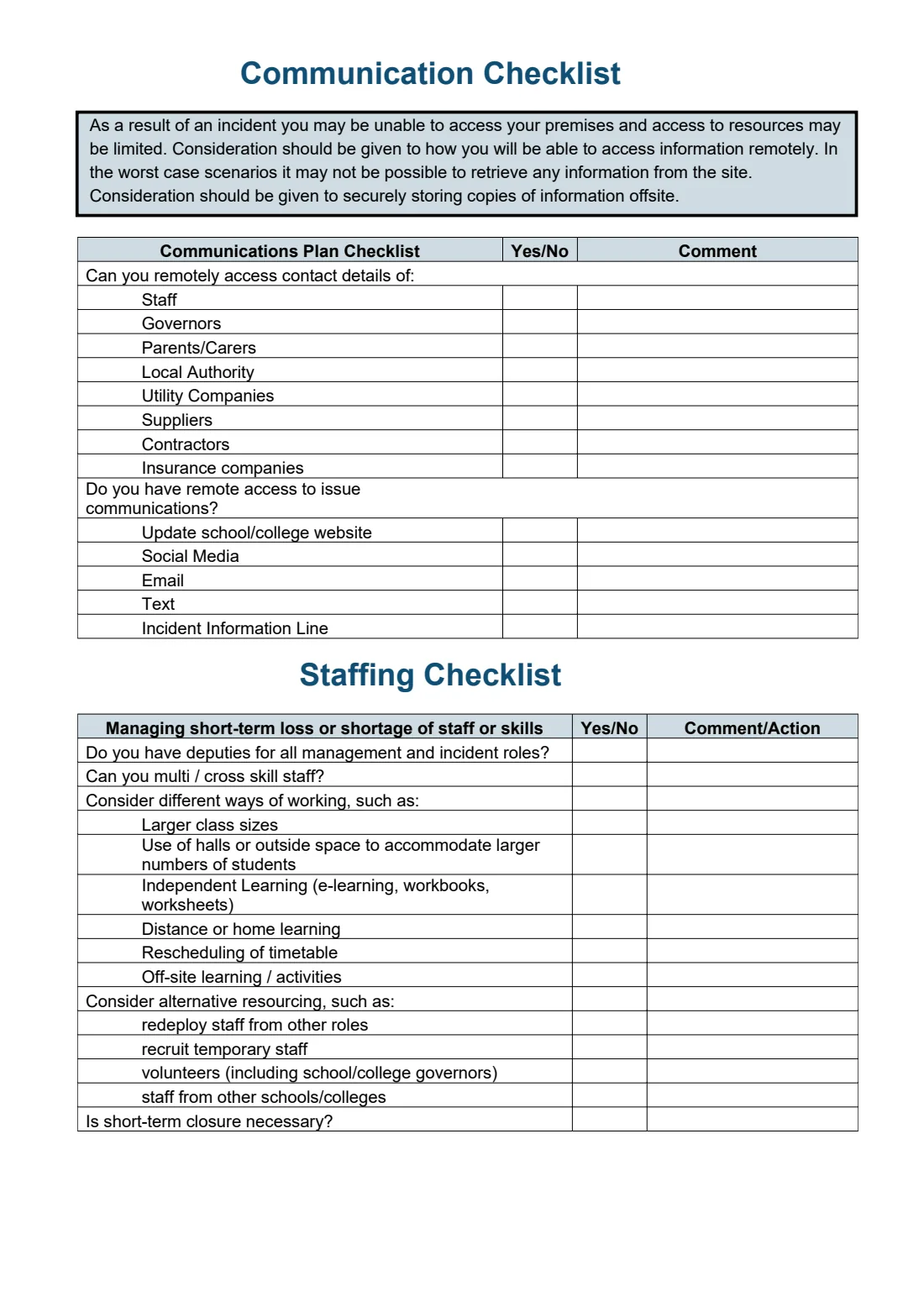
- 1Shaded header row and indented sub-items
- 2The heading stays with its table; the page breaks where Word breaks it
Complex numbered lists
Multi-level numbering, restarts at 1, a jump to 10, numbering that carries on after a plain paragraph — values and indents match Word.
Apache POI test file · Apache-2.0 · Source · Word 1 pages · OfficePDF 1 pages
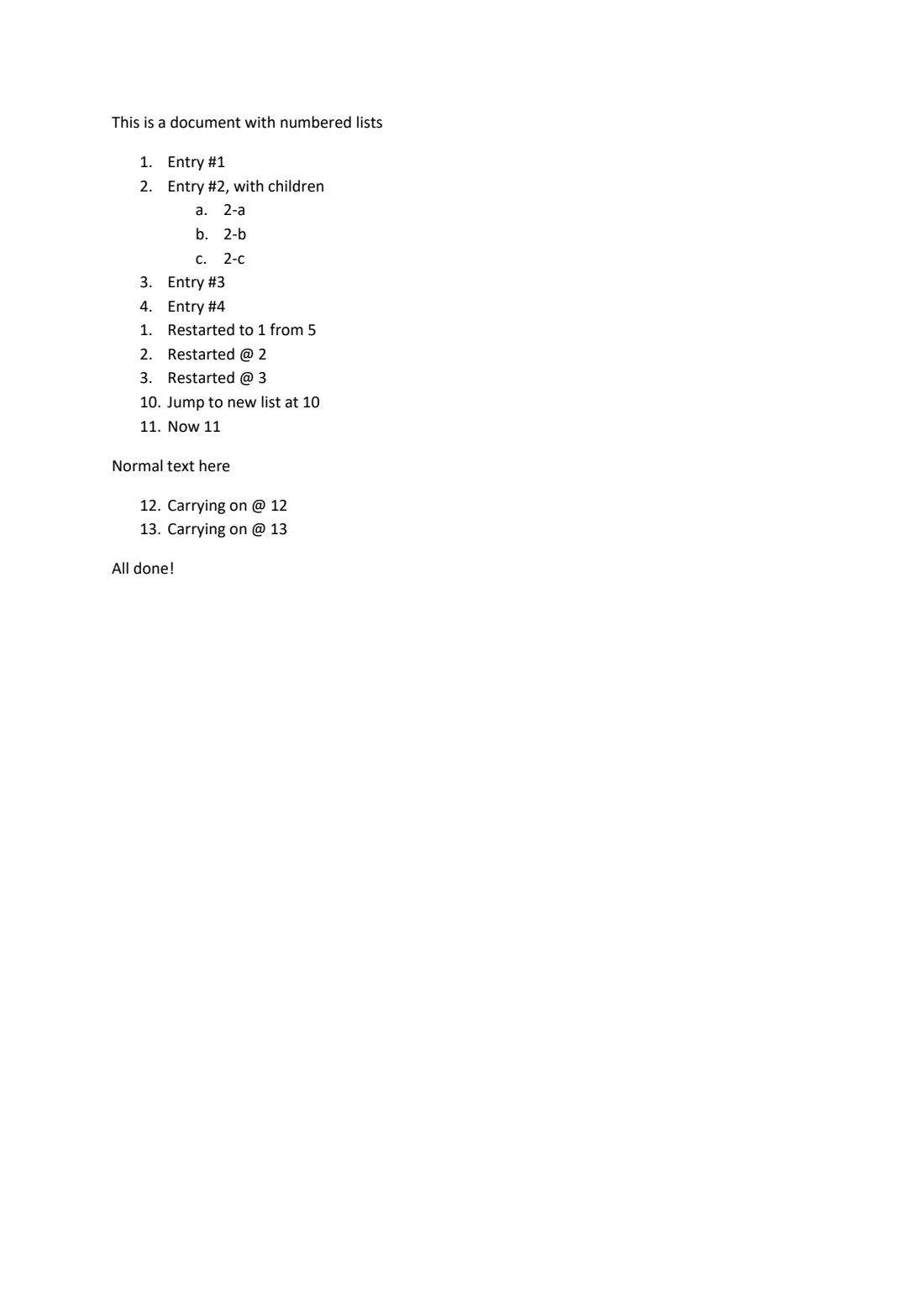
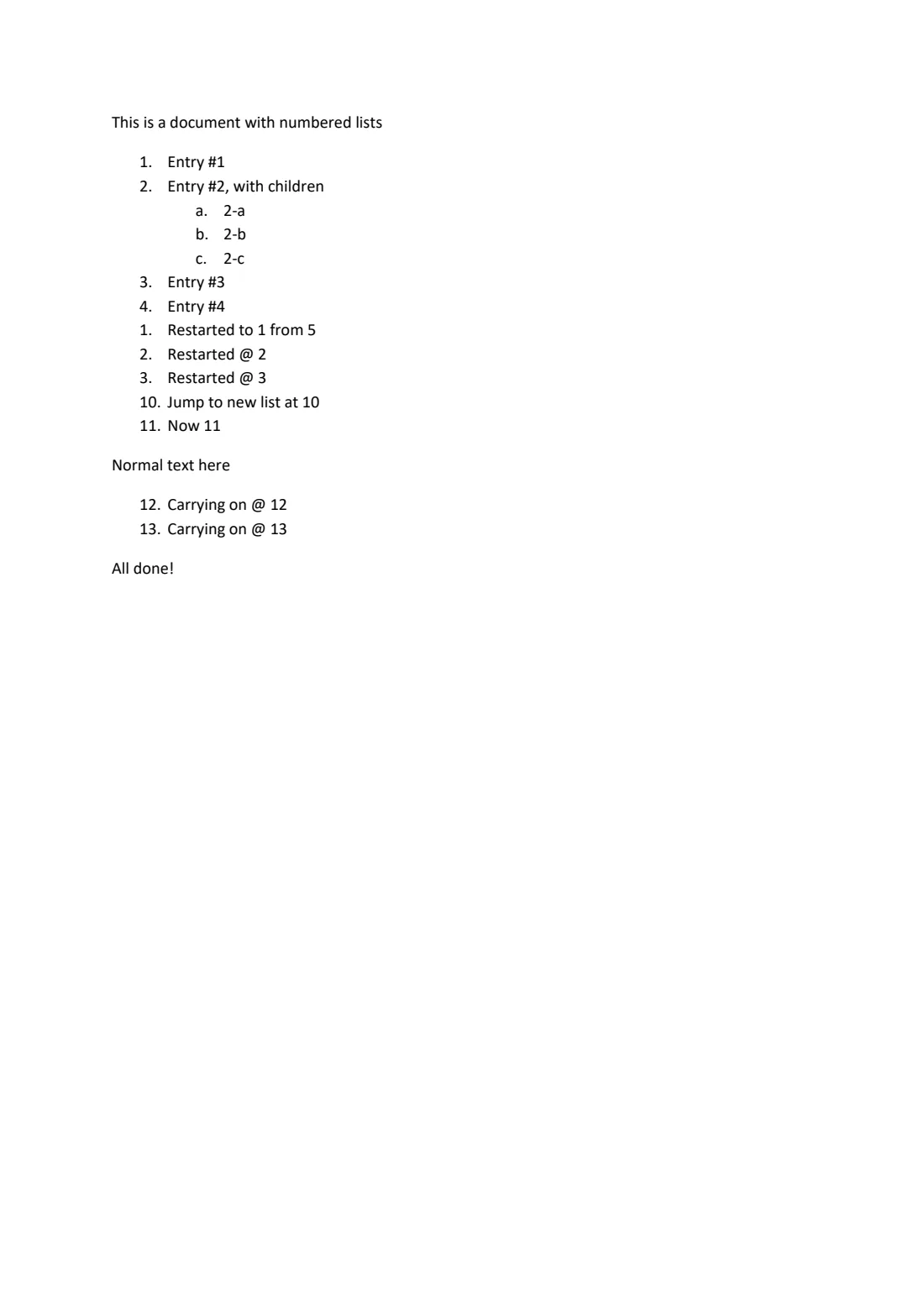
- 1Second-level a/b/c numbering and indent
- 2Numbering restarts at 1
- 3Numbering carries on at 12 after a plain paragraph
Three-column header and footer
Header and footer split into left, centre and right with positional tabs (ptab), aligned to the margins rather than the indents.
Apache POI test file · Apache-2.0 · Source · Word 2 pages · OfficePDF 2 pages
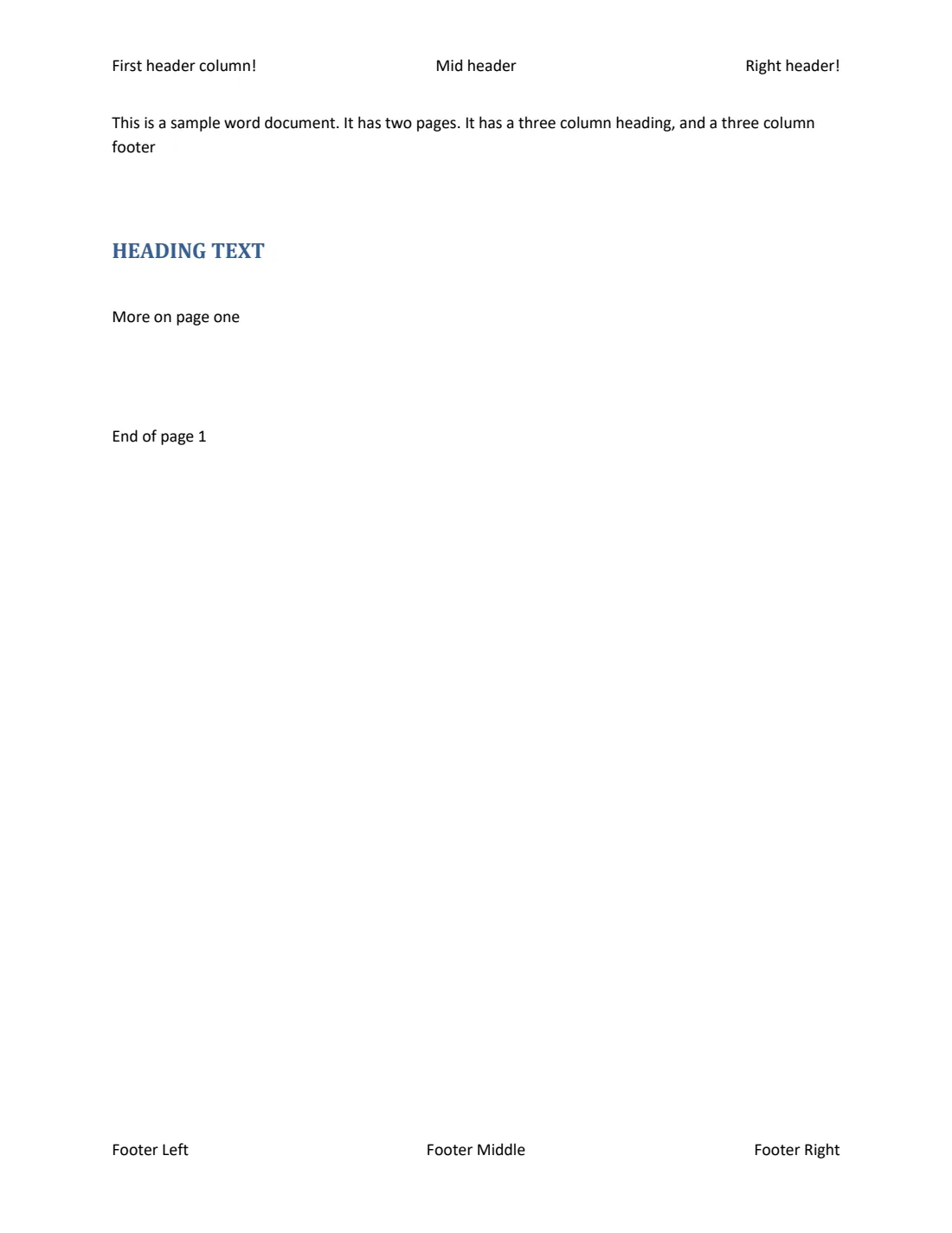
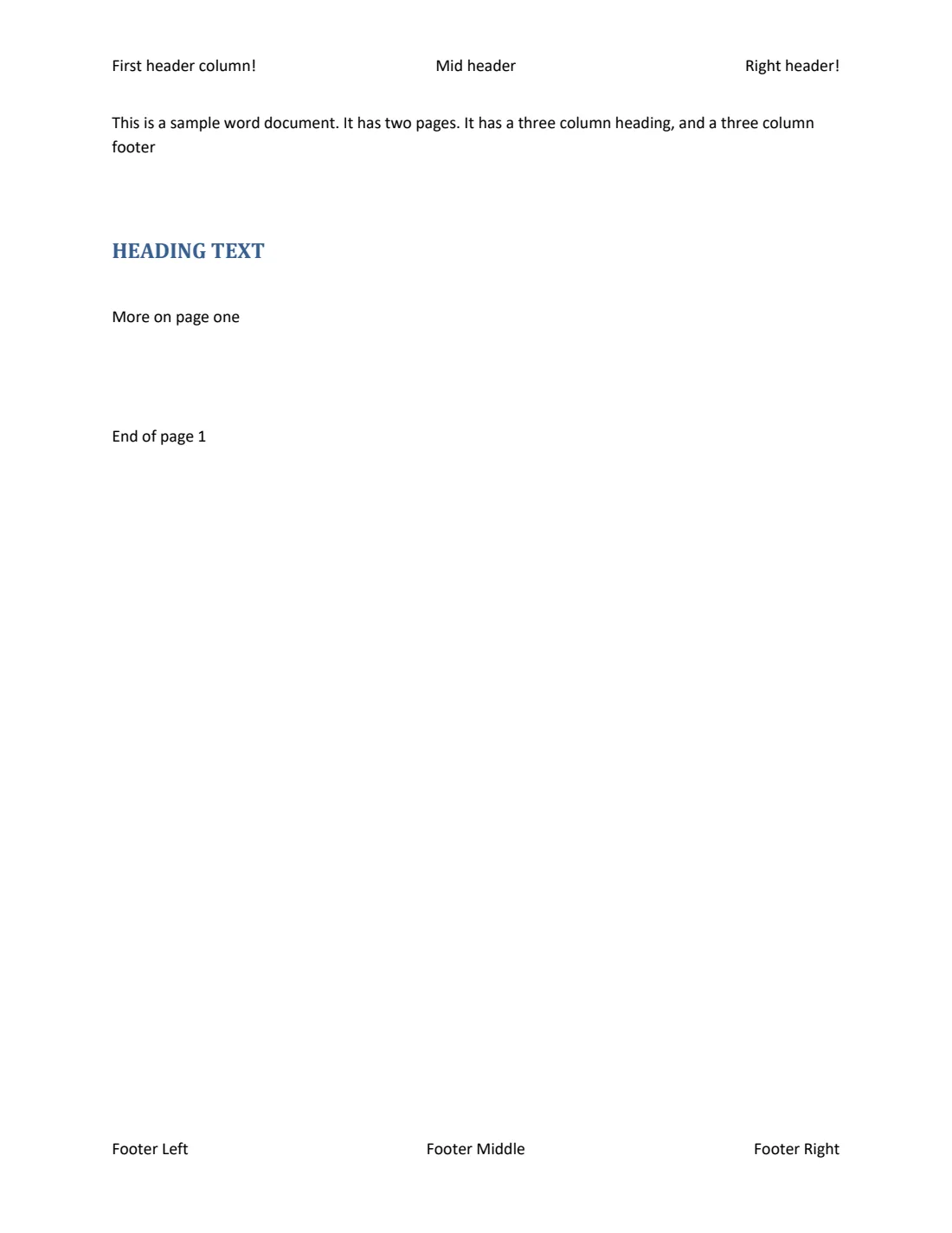
- 1Header: centre positional tab
- 2Footer: right-aligned to the margin
Footnotes inside a table
A footnote referenced from a table cell; the note goes to the page foot with Word’s separator and numbering.
Apache POI test file · Apache-2.0 · Source · Word 1 pages · OfficePDF 1 pages
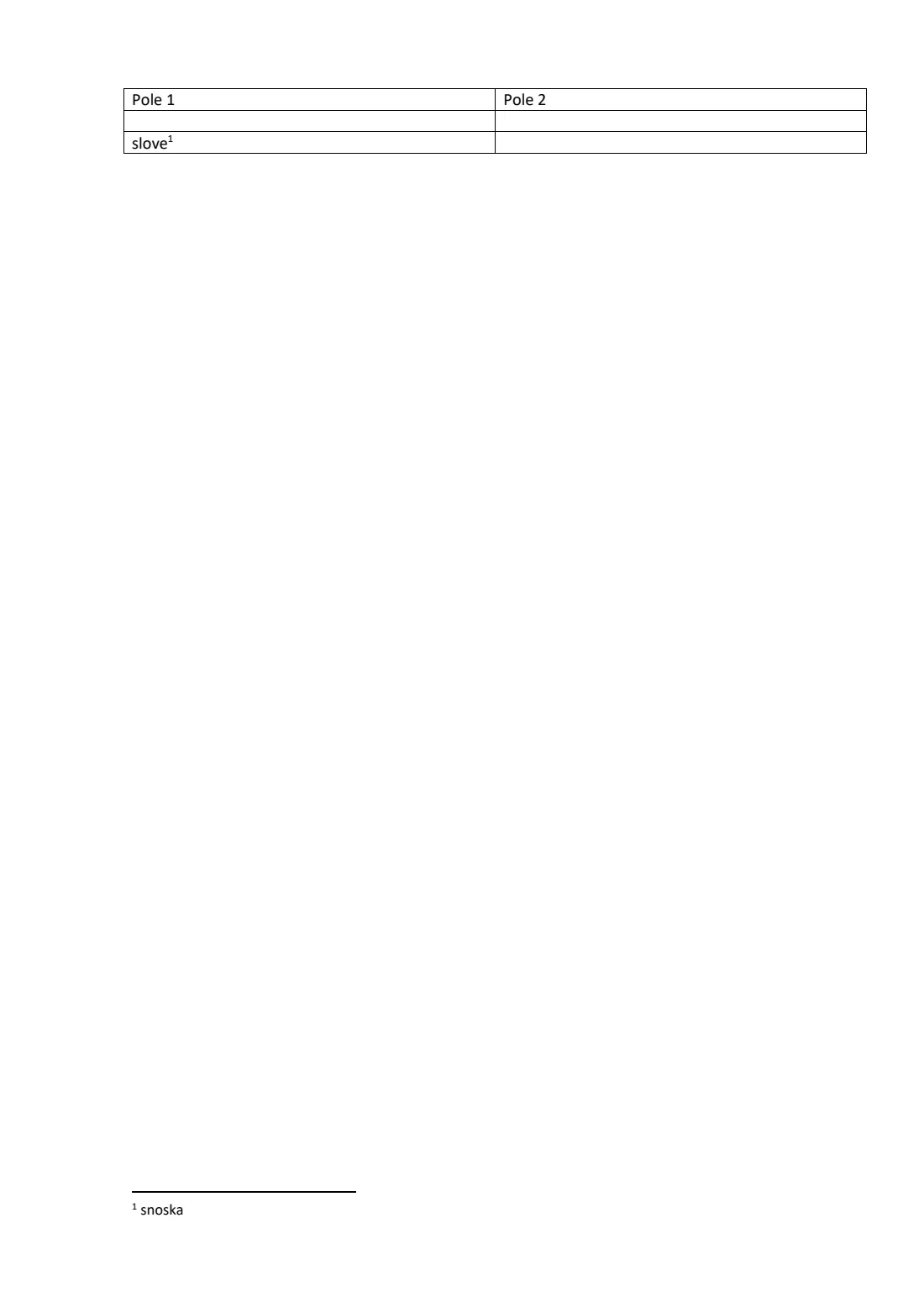
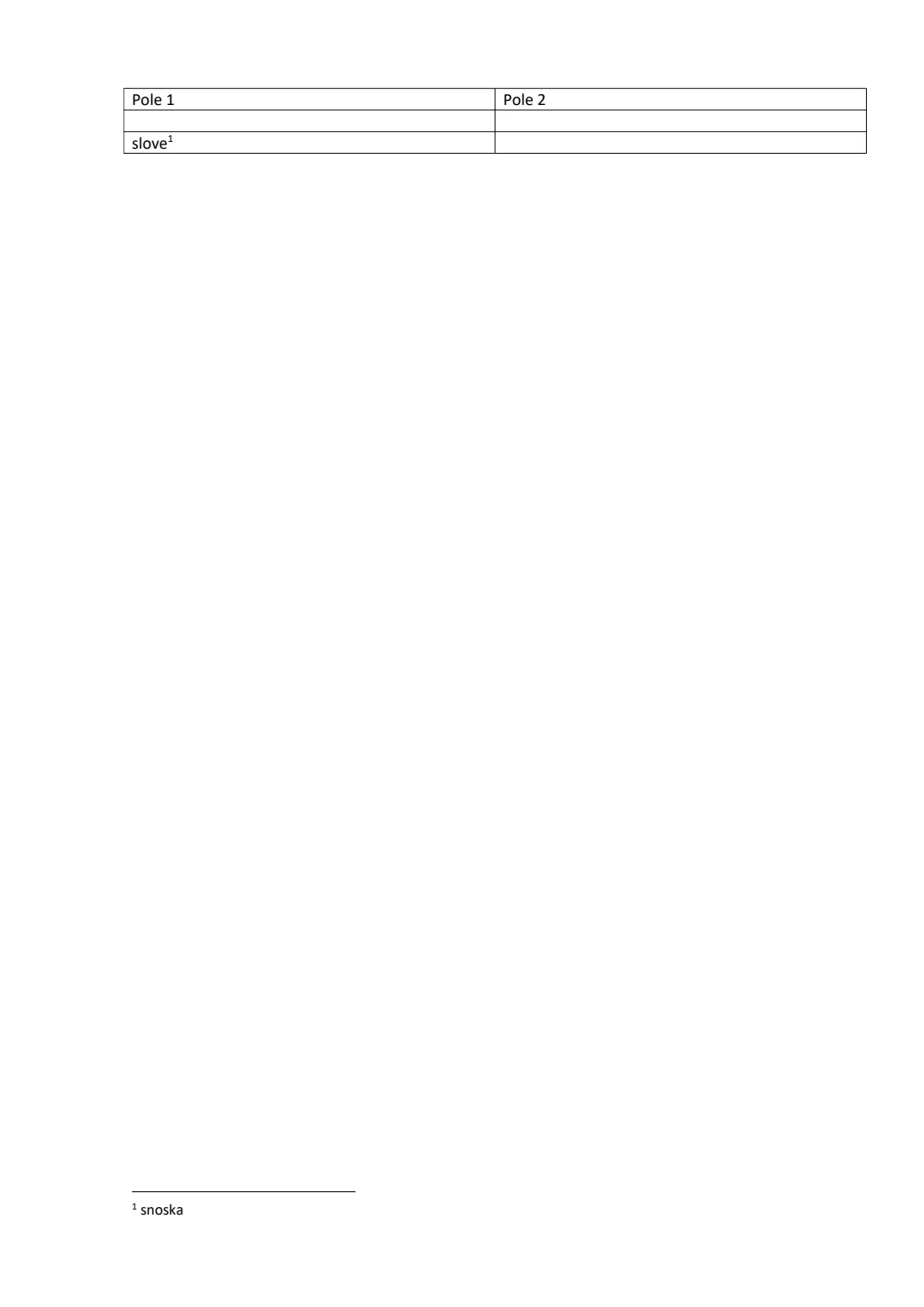
- 1Footnote reference inside a cell (superscript)
- 2The note at the page foot, under the separator
About the downloads
Names, student numbers, phone and ID numbers, school names and author details in real documents have been replaced or removed; tables, styles and page breaks are untouched. Government logos fall outside the open licence and are replaced by blank images of the same size.
The UK government files contain public sector information licensed under the Open Government Licence v3.0. The Apache POI test files are provided under the Apache License 2.0.
Engine 0.2.0rc3
Run the same engine on your servers
These PDFs come from the engine in the on-prem SDK. Request an evaluation license to test your own documents inside your network, or try a quick online conversion first.